Turn PDF Drawings into Accurate Quantities
PDF sets are still how the industry ships drawings. Here is how Kamai turns them into structured, traceable quantities without the manual measuring in between.

Every estimate stands on its quantities. Before anyone prices a job, someone has to answer a plain question: how much work is in these drawings? Get that number right and the rest of the bid has a foundation. Get it wrong and the material orders, the labor budget, and the margin are all wrong with it, usually before anyone notices.
The drawings that answer the question are PDFs. Residential, commercial, industrial, tender work, it starts the same way: a set lands in the inbox, and the quantities have to come out of it. The problem is not the PDF. The problem is what teams have historically had to do to read one.
The manual PDF takeoff is where the hours go
A PDF is easier to share than paper, but on its own it is still just something to measure. The traditional workflow has not changed much:
- Review every sheet, one at a time.
- Calibrate the scale on each drawing.
- Trace areas and lengths by hand with a digital ruler.
- Count doors, windows, fixtures, and symbols one by one.
- Type all of it into a spreadsheet.
- Double-check the whole thing before it goes into the estimate.
On a real set that takes hours or days, and it happens under a deadline, which is exactly when human error creeps in. Then a revision arrives and a chunk of it has to be re-checked by hand. For a team bidding several projects a week, that repetition is the bottleneck.
A PDF is not a picture
Here is the part most tools miss. A PDF drawing is not an image. It carries real geometry: vector linework with actual coordinates, layers, scale, symbols, and the spatial relationships between elements. All of that structure is sitting in the file. The reason takeoff has stayed manual is that reading it used to require a person.
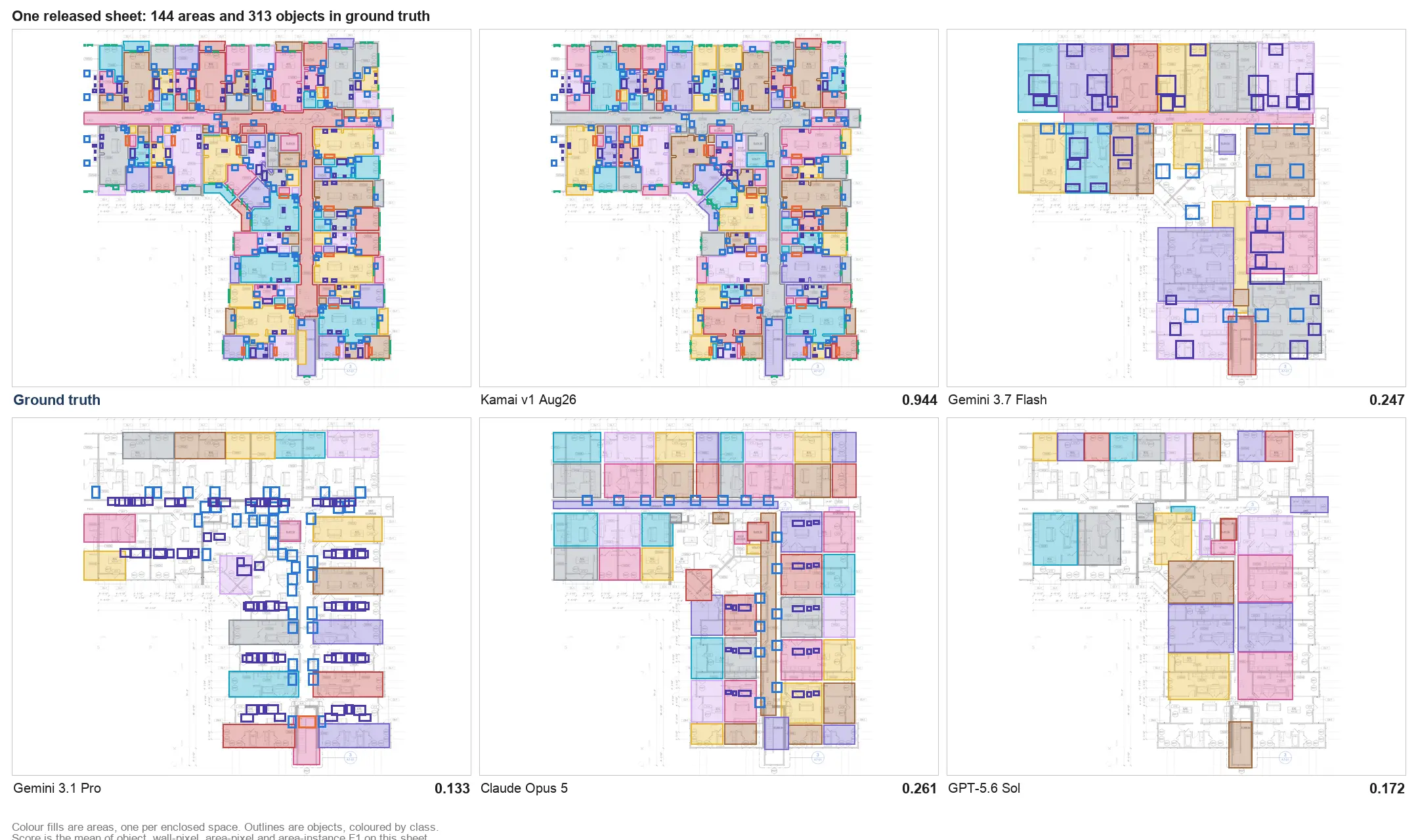
Most computer-vision tools throw that structure away. They rasterize the drawing to pixels and predict from the picture, the way a general model labels objects in a photo. For a number that decides whether a job earns or loses money, a guess from pixels is not a foundation you want to price against.
Kamai reads the native geometry instead. It works from the vector data in the PDF or CAD file and computes measurements from the drawing's own coordinates, not from an image of the drawing. Scale, annotations, symbols, room boundaries, and cross-sheet relationships all come from the source.
Upload the set, get structured quantities back
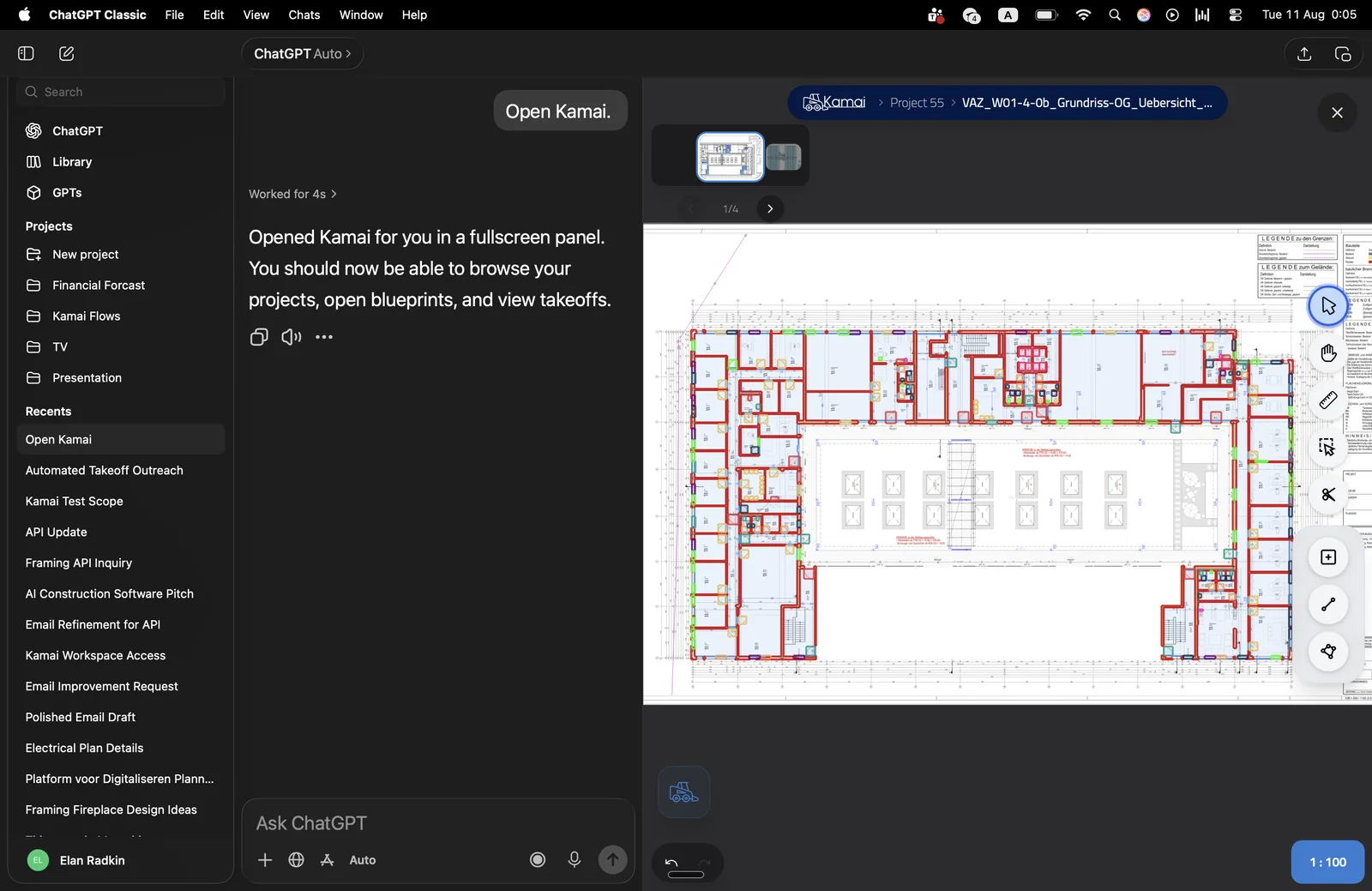
Instead of measuring every room, wall, and count by hand, you upload the drawings and Kamai does the reading. It processes the set, identifies the geometry, symbols, dimensions, and how the elements relate, and turns that into measurable quantities:
- Floor and room areas
- Wall lengths and surface areas
- Concrete and other volume estimates
- Door, window, and fixture counts
- Room-by-room dimensions and layouts
- Material quantities per trade
- MEP components
The extracted quantities come back as structured data, so they drop into the systems you already run and export when you need to hand something off. Every quantity traces back to the sheet and the layer it came from, so a number is never a black box. When a drawing gets revised, Kamai re-analyzes the updated set and the quantities can be checked and recalculated rather than remeasured from scratch.
The point is not to retire the drawings. It is to stop paying a skilled estimator to be a measuring and transcription service, so that time goes to scope, cost validation, and the bid.
Better data, better decisions
Analysis runs right after upload, which matters when a tender is due. You get structured information back in minutes rather than at the end of a long tracing session. Because the platform is cloud based, estimators, project managers, and field staff all work from the same numbers instead of chasing an outdated file version around.
Reliable early quantities change what a team can do with a set. You can evaluate options, compare scenarios, and forecast cost and labor with numbers you actually trust.
"Used it this morning in a live presentation environment with real builders asking questions and it worked great."
That is the bar this has to clear. Builders ask hard questions on the spot, and the numbers have to hold up in the room.
Why teams move to reading geometry
The reasons contractors give tend to be the same, and none of them are magic:
- Less manual data entry, because the quantities come out structured.
- Faster analysis, because the reading is automated.
- Fewer measurement and transcription errors, because the numbers come from source geometry, not a hand trace or a re-keyed cell.
- More consistency across projects and across estimators.
- More estimating capacity without adding headcount, which is what lets a team bid more.
This holds up across residential, commercial, industrial, and mixed-use work. It earns the most on large drawing sets, on weeks with several bids at once, and on the tight-deadline tenders where the manual approach runs out of time.
Where this goes
Construction talks about being data driven, but the day-to-day still runs on static PDFs. The shift is turning those sets into searchable, measurable data assets instead of documents someone has to read line by line. You can start in the app at app.kamai.io: upload a set, get structured quantities back, and export them into your estimating workflow. When you want the same output wired into your own systems, api.kamai.io and the MCP integration hand back the structured data directly.
The drawings already carry the geometry. The work was always in reading it. That is the part Kamai takes off your plate.
Frequently Asked Questions
What is a quantity takeoff?
It is the process of measuring and counting items directly from construction plans, including areas, lengths, volumes, and counts, to determine how much work a project involves. It is the first step before any estimate.
Can Kamai perform takeoffs from PDF plans?
Yes. Kamai analyzes PDF drawings and extracts areas, volumes, dimensions, and quantities without manual measurement, reading the geometry directly from the file rather than tracing it by hand.
How does Kamai handle drawing revisions?
When a set is updated, Kamai re-analyzes the new drawings so the quantities can be checked and recalculated, instead of someone remeasuring the affected sheets by hand.
How does Kamai improve estimating accuracy?
It reads geometry, symbols, and dimensions directly from the drawing and returns structured quantities, which cuts down on manual measuring and the data-entry errors that come with re-keying numbers into a spreadsheet. Every quantity traces back to its source sheet and layer.
What project types does Kamai support?
Residential, commercial, industrial, and mixed-use. It is especially useful on large drawing sets, when several bids are running at once, and under tight tender deadlines.
Get the next post in your inbox.
Low frequency. High signal.