Integrate Takeoff into Estimating Software
How to feed automated takeoff quantities straight into your estimating software with Kamai's Takeoff API and structured data output.

Most estimators run two tools that never talk to each other. You measure wall lengths, door counts, and slab areas in a takeoff package, then retype the numbers into a spreadsheet or estimating system to price them. Every keystroke in that handoff is a chance to fat-finger a quantity, transpose a digit, or forget a sheet you marked up an hour ago. Kamai closes that gap by reading the drawings and handing the quantities to your estimating software directly, so the number you measure is the number you price.
Where the disconnect costs you
The split between takeoff and estimating is not just annoying, it is where bids go wrong. You finish a takeoff in one platform, then transfer the data into another for pricing. Somewhere in that copy-and-paste, a 240 LF run becomes 420, or the demo sheet from Addendum 2 never makes it across.
These errors hide until they matter. A double-counted shared wall between two units, a slab area pulled at the wrong scale, a fixture schedule that got revised after your first pass - none of it shows up as a red flag. It shows up as a margin that was never there, on a job you have already won.
How Kamai reads a drawing
Construction drawings carry enormous detail, but none of it is structured. A floor plan is lines, hatches, leaders, and notes that a person has to interpret before a single quantity exists.
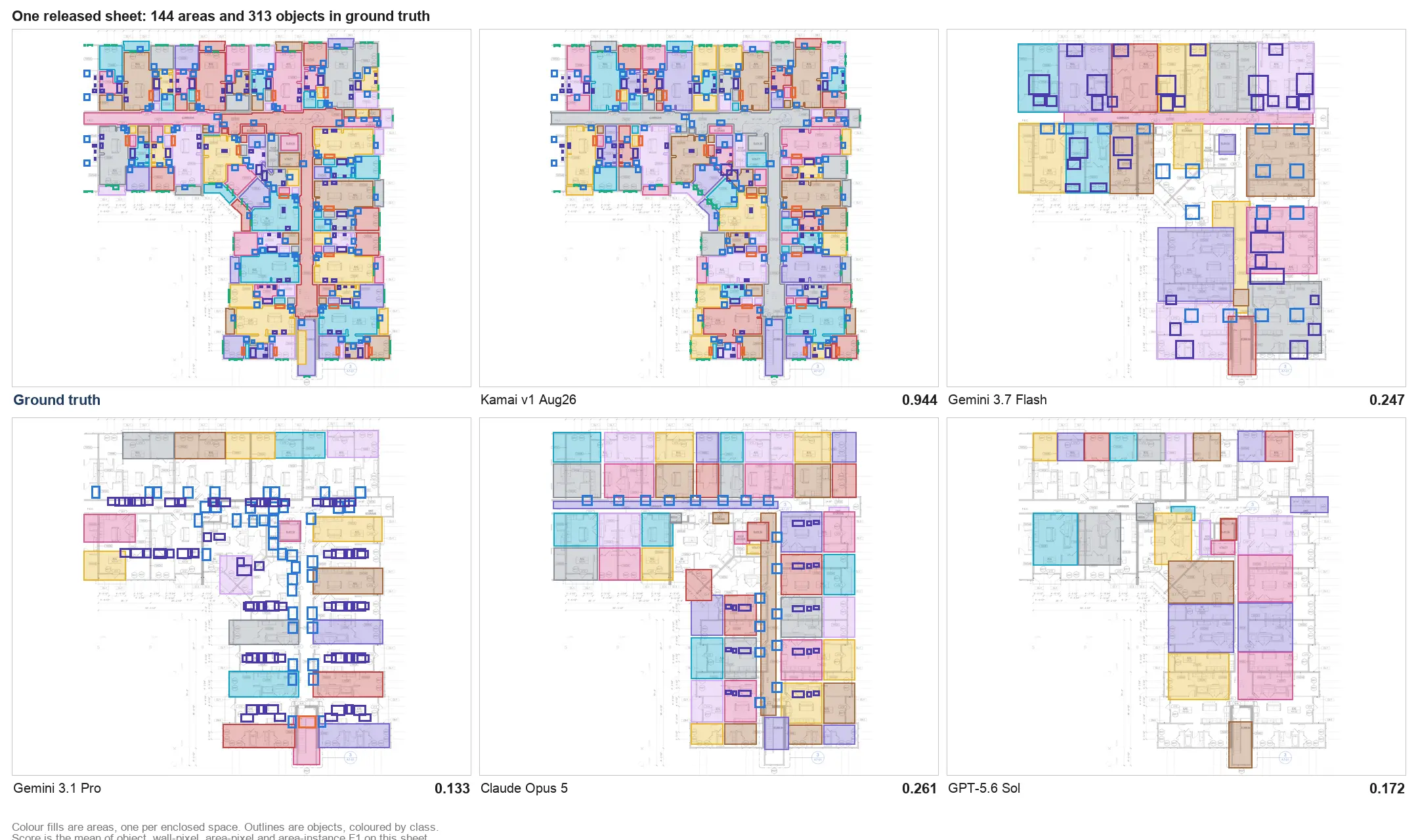
Kamai's models do that interpretation. Trained on real construction documents, they identify architectural and MEP elements across a sheet set - walls, openings, fixtures, areas, and the dimensions tied to them - and return them as organized data instead of marked-up images. Computer vision handles the reading of the page; the output is quantities you can act on.
That output lands as structured data, not a screenshot. Areas, volumes, linear footage, and counts come back keyed to the elements they describe, ready to flow into pricing without a second round of cleanup.
The Takeoff API and the embedded widget
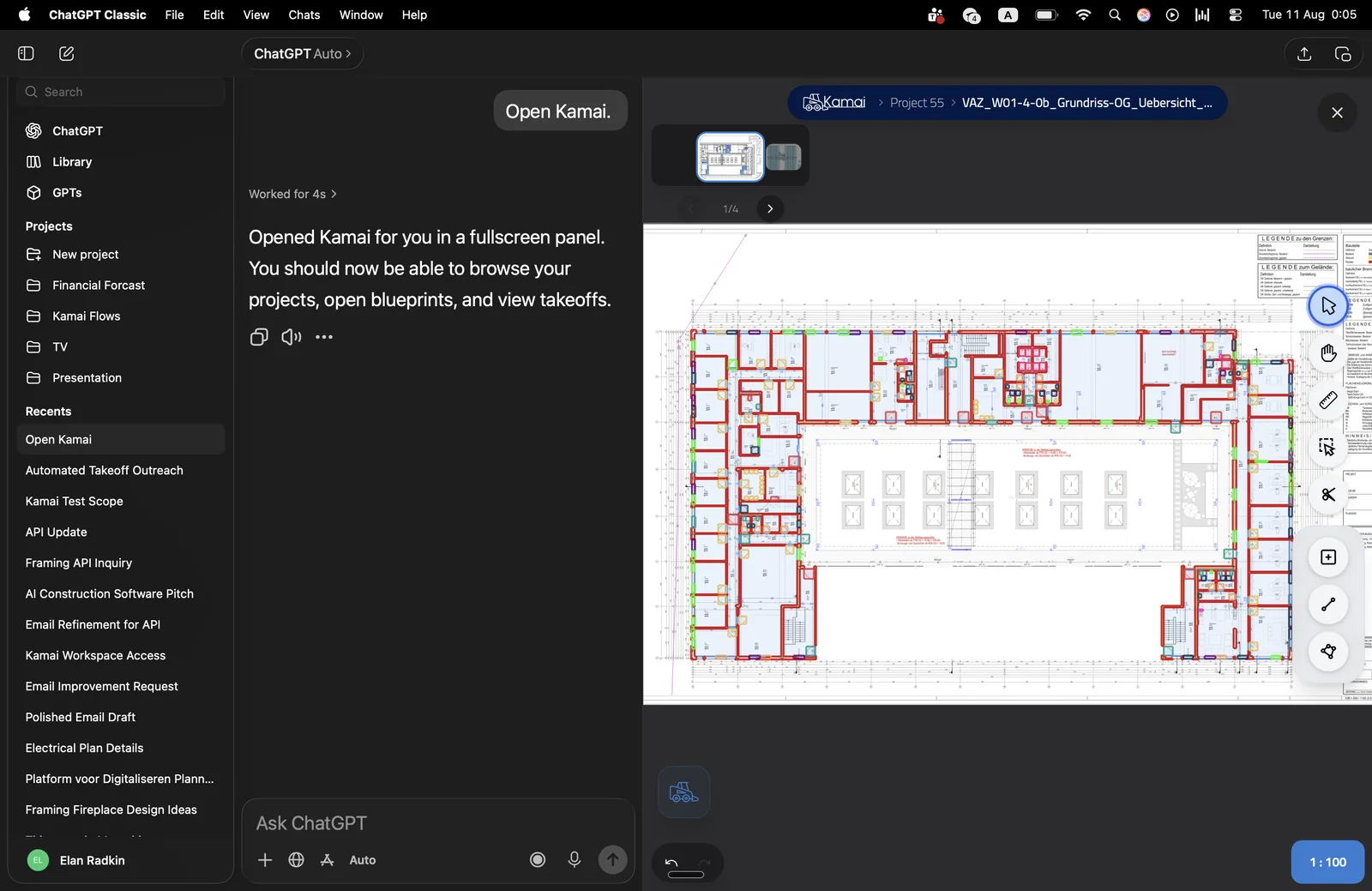
There are two ways to bring this into your own software. The Takeoff API lets you send drawings to Kamai and get quantities back as structured JSON, so your estimating system can request a takeoff and receive priced-ready data in the same flow your team already uses. If you would rather not build that yourself, the embedded widget drops Kamai's takeoff experience into your app as a feature, so users upload a drawing and pull quantities without leaving your interface.
Either way, the upload-to-quantities step happens inside your workflow. Someone sends a plan, Kamai's models extract the areas, volumes, and materials, and the results come back in a format your estimate can consume. No export-import shuffle between tabs.
What estimators do with the time back
When the measuring stops eating the day, the work shifts to judgment. Instead of spending the morning scaling walls and counting fixtures, an estimator reviews what Kamai pulled, checks it against the spec and the latest addenda, and spends the rest of the time where the money actually moves: unit pricing, scope gaps, and which alternates to chase.
The app's AI assistant sits in that review step. You can ask it to surface a specific count, reconcile a quantity against a sheet, or pull the items tied to a division, so the check is a conversation rather than a recount. The numbers are already extracted; your job is to pressure-test them and price them.
One set of numbers, shared
Disconnected tools also mean disconnected truth. The estimator's quantities, the PM's budget, and the version a stakeholder reviewed drift apart the moment they live in separate files.
Because the takeoff data is structured and lives in one place, everyone pricing or planning the job works from the same quantities. When a sheet gets revised, the change updates once instead of being re-keyed into three systems that then disagree.
Handling more bids without more headcount
The volume problem is real: more invitations than your estimators can turn around, and every one you skip is a job you did not bid. Manual takeoff caps how many you can answer in a week.
Pushing the takeoff step into the API or the widget lets a team take on more bids without adding people to do the measuring. The repetitive part - reading the page, counting the fixtures, totaling the areas - runs automatically, and your estimators apply their experience to more jobs instead of fewer.
Getting started
If your estimating software already has a place for quantities, the Takeoff API can fill it. Send the drawings, get structured takeoff data back, and price from numbers that came off the actual sheets instead of a manual transcription. The embedded widget is there if you want the same capability inside your product without writing the integration. Both put the measurement and the estimate in one flow, which is the point: stop retyping the takeoff, and stop finding out about the error after the bid is out.
Get the next post in your inbox.
Low frequency. High signal.