How to Do a Construction Takeoff Step by Step
A working estimator's walkthrough of the construction takeoff process, from plan review to bid-ready quantities, plus where Kamai speeds it up.

Every bid you've ever lost or won traced back to a number that came off a drawing set. The takeoff is where that number gets made: the part of preconstruction where the lines, callouts, and schedules on a set of plans turn into counted, measured, priced quantities. Get it right and the estimate holds. Get it wrong and you find out on site, when the concrete order is short or the drywall count never accounted for the shared corridor walls.
This is the process, step by step, the way it actually runs in a real preconstruction workflow. Where Kamai changes the work, I'll say so plainly, because Kamai's models are built to pull these quantities off the drawings instead of you doing it by hand.
What a construction takeoff actually is
A takeoff is the systematic read of a project's drawings and specifications to identify, measure, and quantify everything the job requires to be built. It turns visual information into numbers: cubic yards of concrete, square feet of drywall, linear feet of conduit, door and fixture counts.
Those numbers feed everything downstream. They're the basis for your cost estimate, your procurement, your labor-hour forecast, and your bid. On most jobs the takeoff isn't one pass either. It's a sequence: structural quantities, then finishes, then systems, each pulled from a different part of the set and reconciled against the others. By the end you have a structured picture of what gets built, bought, installed, and managed.
Step 1: Read the full document set before you measure anything
The fastest way to blow a takeoff is to start measuring before you understand the job. Open the architectural sheets, the structural drawings, the mechanical, electrical, and plumbing layouts, the specifications, the schedules, and the general notes. The general notes and spec sections are where the scope-changing details hide: the slab thickness that isn't on the plan, the fire rating that drives a different wall assembly, the addendum that revised half the window schedule after the original set went out.
On this first pass you're identifying:
- Project boundaries and phasing
- Material specifications and finish schedules
- Special conditions and unique design requirements
- Referenced details and cross-sections you'll need to count off
Your takeoff is only as good as your read of the set. Kamai handles the digital organization here, so a large plan set is navigable and indexed before you start pulling quantities instead of being a folder of loose PDFs.
Step 2: Lock the scope before measurements start
Decide exactly what this takeoff covers. Structural concrete only? Interior finishes? The full building shell? Mechanical systems? Site and civil work? An undefined scope is how you end up double-counting an item that two trades both claimed, or missing one that neither did.
On larger jobs the scope splits by trade, and each trade runs its own takeoff against its own sheets. That keeps accountability clean. Kamai supports this by organizing extracted quantities into categories, so structural, finishes, and MEP stay separated and you can see where one trade's scope ends and the next begins.
Step 3: Set your units and standards up front
Every element has a correct unit, and mixing them is a silent error you won't catch until the cost rolls up wrong. Concrete goes in cubic yards or cubic meters. Drywall and finishes go in square feet or square meters. Rebar is counted by weight or by linear length depending on how you're pricing it.
Standardize before you measure, not after. As Kamai extracts quantities it applies measurement logic to each item, so the units stay consistent across the set and you're not converting square feet to square meters by hand at the estimate stage.
Step 4: Quantify the major components
With the prep done, start with the items that carry the most cost and the most risk: the structure.
- Foundations
- Slabs
- Columns
- Beams
- Load-bearing walls
These are the backbone of the job and they move the estimate more than anything else, so get them tight first. In a manual workflow you're measuring off scaled drawings with a ruler or a digitizer, and watching the scale on every sheet because one mis-set scale poisons every number that follows. In Kamai you measure with point-and-click directly on the PDF, and areas, volumes, and lengths calculate as you go. That takes the arithmetic out of it and removes one of the most common sources of takeoff error.
Step 5: Quantify the secondary and finish work
Once the structure is counted, work through the secondary systems and finishes:
- Interior partitions
- Ceilings
- Floor finishes
- Doors and windows
- Fixtures and fittings
This is where the drawing set fights back. Multiple revisions, dense layouts, finish schedules that don't quite match the floor plan. Shared partitions between two units are the classic trap: count them once, not once per side. Kamai pulls these quantities off the blueprints into a structured list you can review against the schedules, which makes catching the double-counts and the misses a lot easier than scanning the sheet by eye.
Step 6: Carry the work into labor and equipment
A takeoff isn't only a materials list. The same quantities drive your labor and equipment planning. Apply your productivity rates to the measured quantities to get work hours, and size your equipment needs against the scope and the schedule.
This is the seam where the takeoff becomes an estimate. Because Kamai's quantities flow straight into the cost calculations, the labor and equipment numbers update when a measurement changes instead of you re-keying everything after a revision.
Step 7: Apply waste factors and adjustments
No material installs at exactly the quantity you measured. You add for cutting waste, breakage, overlaps, spillage, and site conditions, and the percentage depends on the material and how clean the job is. Tight drywall layouts waste less than a cut-up renovation; rebar laps add real tonnage.
Kamai lets you store these factors as templates and formulas and apply them the same way across projects, so the waste allowance on this job matches the one you used on the last, rather than being a number someone guessed.
Step 8: Cross-check and validate
Validation is where you earn the estimate's credibility. Walk the quantities back against the specs and the drawings to confirm nothing's missing. One overlooked scope area can swing the whole number, and it's almost always cheaper to find it here than in the field.
Because Kamai keeps the data structured and traceable to its source drawing, you can review quantities systematically and click back to the exact sheet a number came from. That traceability is what lets you stand behind the estimate when someone questions a line.
Step 9: Link quantities to cost
Now attach pricing to the verified quantities:
- Material unit costs
- Labor rates
- Equipment costs
- Subcontractor quotes
This is the step that turns counts into a real estimate. With Kamai's takeoff and estimating working together, costs update as you measure, so you're not exporting a quantity list into a separate spreadsheet and hoping the two stay in sync. When a drawing changes, the cost moves with it.
Step 10: Build the bid documentation
The last stretch is packaging the work into a bid. Solid quantities let you build a detailed estimate, price it competitively, spell out your scope assumptions clearly, and back up value-engineering options with real numbers instead of guesses. The takeoff is the spine of the whole submission.
Kamai keeps the extracted quantities organized and accessible, and the data exports to Excel and PDF, so handing numbers to a stakeholder or dropping them into your bid package doesn't mean rebuilding the file. The same structured output is available as JSON through the API if you're piping quantities into your own estimating stack.
Why the order matters
Skip a step and the gap shows up later, usually at a worse time. The document read gives you the scope. Locking scope keeps two trades from counting the same wall. Clean measurement gives you quantities you can defend. Validation catches the omission before the bid goes out. Cost linking turns the whole thing into a number you can stand on. Run them out of order, or skip the validation pass, and you're betting the margin on luck.
Manual versus digital
The manual takeoff, printed sheets, a scale ruler, and a spreadsheet, still works, and plenty of estimators built careers on it. It's also slow, and it concentrates risk in two places: the scale you set and the arithmetic you do by hand.
A digital workflow on Kamai changes the mechanics:
- Measure directly on the PDF instead of on paper
- Calculations run as you click, not after
- Drawings become structured quantity data you can sort and filter
- Quantities link straight into estimating, no re-entry
You're not removing the estimator's judgment, you're removing the ruler and the calculator from the parts of the job where they cause the most errors.
Where Kamai fits in each step
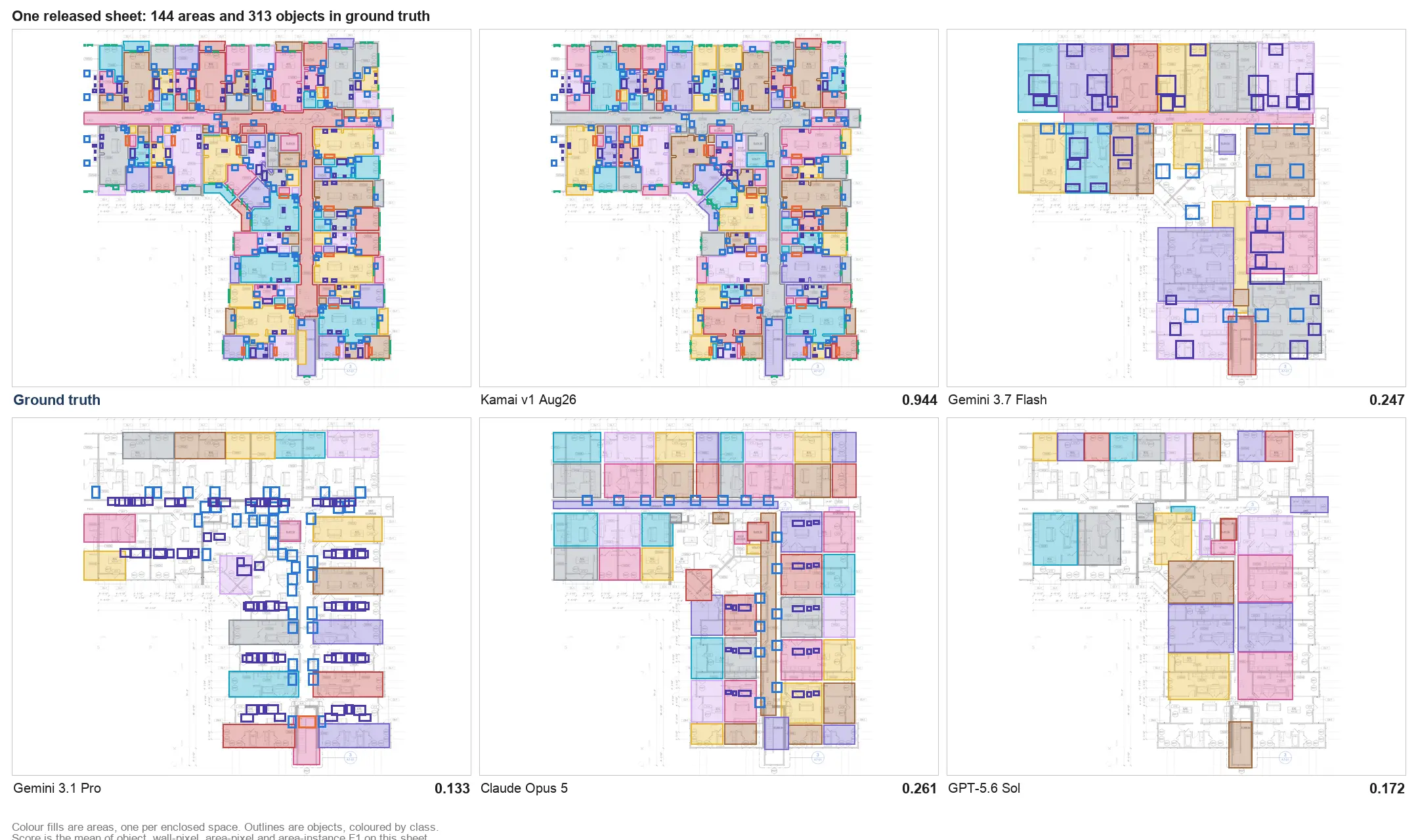
Across the process, the pattern is consistent. During document review, the set is organized so large plan sets are navigable. During measurement, Kamai's models extract quantities off the drawings, including an AI assistant in the app you can ask to pull or check items as you work. During validation, the structured, source-traceable data makes cross-checking faster. During estimating, the integrated cost calculation means no manual transfer between tools. And the output, whether you take it as an Excel export, a PDF, or JSON through the API, comes out as data you can actually use, not a screenshot of a marked-up sheet.
Why accurate takeoffs decide jobs
The takeoff number reaches into every phase. It's the difference between the bid you win and the one you leave money on. It sets your procurement and your material orders. It shapes the labor forecast and the schedule. It anchors the cost-control decisions you make once the job is moving.
A takeoff that's off doesn't fail quietly. It compounds: the short order, the change request, the labor that ran long because the hours were never real. A takeoff that's tight and traceable does the opposite, giving you a number you can defend from bid day through closeout.
Learning the takeoff process well is the foundation of estimating, and the foundation of running a job that lands where you said it would. Run the steps in order, validate before you bid, and let Kamai's models do the extraction so your time goes to the judgment calls that actually need an estimator.
Get the next post in your inbox.
Low frequency. High signal.