How to Automate Takeoffs from PDF Plans for Accurate Construction Data
How to pull accurate quantities from PDF plans automatically, and how Kamai turns blueprints into structured takeoff data estimators can bid from.

A PDF takeoff means measuring and counting the things you have to buy and build straight off the drawing set: linear feet of wall, square footage of slab, fixture counts, pipe runs. For decades that meant a scale ruler, a highlighter, and a spreadsheet, and an estimator burning a day or two per bid before pricing even started. Automating it means uploading the PDF and getting those quantities back as structured data, without measuring every line by hand.
This matters because the documents have not changed. Most jobs still start as 2D PDFs - tender sets, scanned existing-conditions drawings, early design issues - long before anyone hands you a model. Automating takeoff lets you work from the files you already get instead of waiting for something better.
Where manual takeoff goes wrong
The problem with hand takeoff is not that estimators are slow. It is that the work is repetitive, the sheet count is high, and the failure modes are quiet.
A few that show up over and over:
- Wrong scale. You set the calibration off the title block, the sheet was printed half-size, and now every dimension on it is off by a factor of two.
- Missed addenda. The bid set gets a revised plumbing sheet two days before close and the old fixture count never gets updated.
- Double-counting. Shared demising walls get measured from both units, or a slab gets picked up on the architectural and the structural sheet.
- Transcription drift. The measurement is right on the drawing and wrong by the time it lands in the spreadsheet.
None of these are exotic. They are what happens when one person measures hundreds of sheets under a deadline. And a single bad quantity ripples straight into material shortages, a budget that does not hold, or a bid you lose because the number was off in the wrong direction.
That is also why hand takeoff does not scale. When bid volume goes up, the only lever you have is hours, and hours run out.
What "automated" actually does here
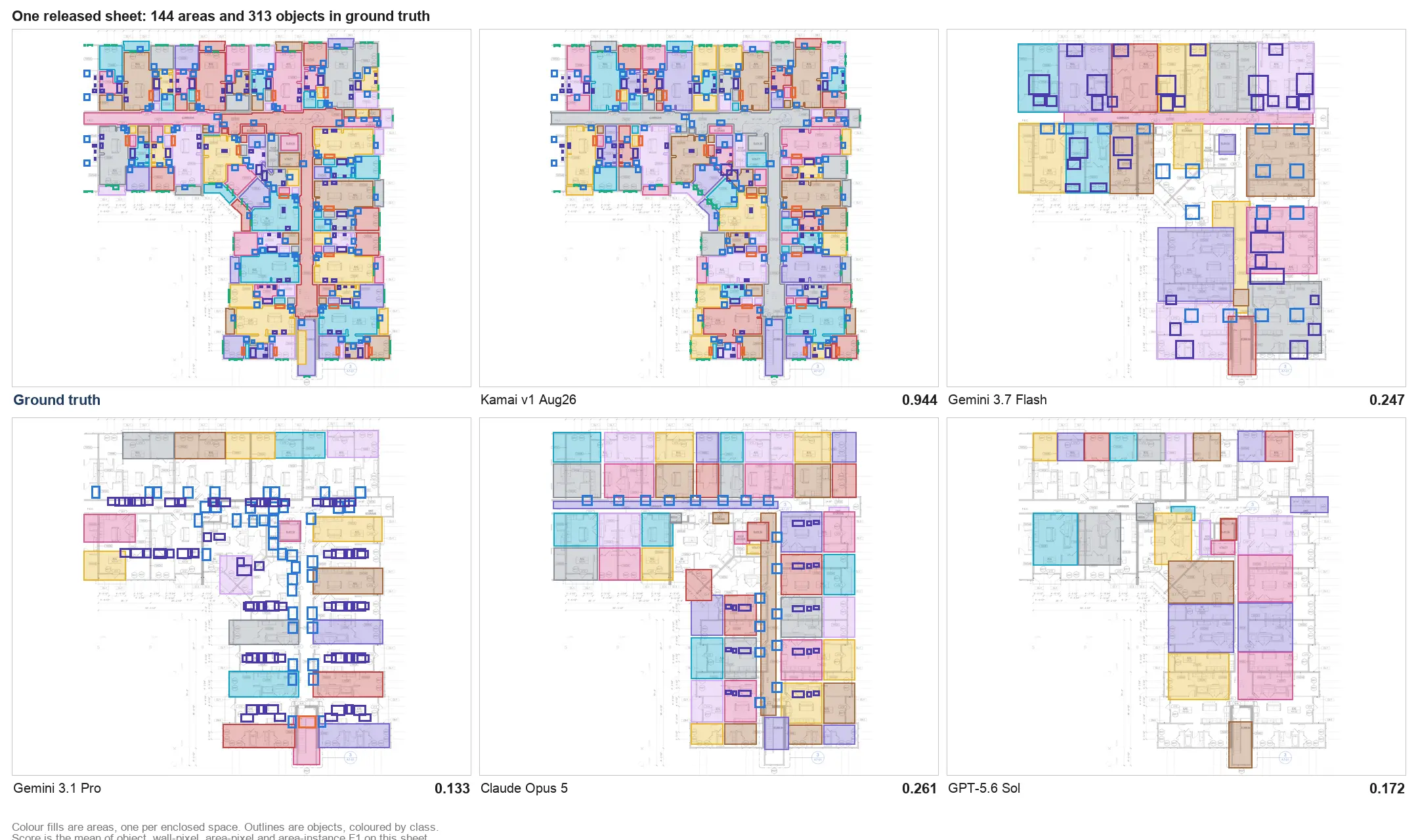
Kamai's models read the drawings the way an estimator reads them: they pick out dimensions, areas, symbols, and counts off the PDF and return them as quantities you can use. Depending on the sheet, that includes wall lengths, floor and ceiling areas, concrete volumes, door and window counts, MEP fixture quantities, pipe and duct runs, and room dimensions.
The output is structured, not a marked-up image. You upload the set, and the quantities come back as data you can push into the next step - estimating, budgeting, procurement, scheduling - rather than a static document you still have to re-key.
One upload, the whole set
Reviewing every architectural, structural, and MEP sheet by hand is where the days go. Kamai works across the set after upload and surfaces the elements, counts, and materials on each sheet, so the bottleneck moves from "measure everything" to "review and price."
That changes how you handle revisions, too. When a sheet gets reissued, you re-run it instead of re-measuring it, which is the difference between catching an addendum and missing it.
Less time on the ruler
Scale tools and repeat calculations are the part of the job nobody misses. Pulling those measurements automatically frees the estimator to do the part that actually needs judgment: checking scope, deciding what is in and out, and pricing the work. For a shop running high bid volume, that is the whole ballgame - more bids covered with the same team.
From a static PDF to numbers you can query
A drawing set holds everything you need to price a job and gives you almost none of it in a usable form. The value is locked in linework and symbols. Getting it out by hand is the cost.
Once the quantities are extracted, the same data feeds the decisions that come after takeoff: comparing material costs, forecasting budgets, planning procurement, and checking whether a scope is even feasible at the price. You can also ask Kamai's AI assistant about the set in plain language instead of hunting through sheets, since the assistant works against the structured data the app has already pulled.
Why PDFs are still the format that matters
BIM adoption keeps growing, and most real workflows still run on 2D PDFs anyway. Bid documents arrive as PDFs. Scanned plans arrive as PDFs. Early design issues arrive as PDFs. They are easy to send, they open anywhere, and every trade on the job already works from them.
Automating PDF takeoff lets you modernize the slow part of the process without abandoning the document everyone already uses.
Accuracy comes from consistency
Estimates are only as good as the quantities under them. The variance in hand takeoff is human: two estimators measure the same wall slightly differently, the same person measures differently on hour six than on hour one.
Pulling quantities the same way every time takes that variance out. The result is more consistent bids, cleaner material forecasts, and less rework downstream. On thin margins, a few points of accuracy is the difference between a profitable job and a write-off.
Fitting into the tools you already run
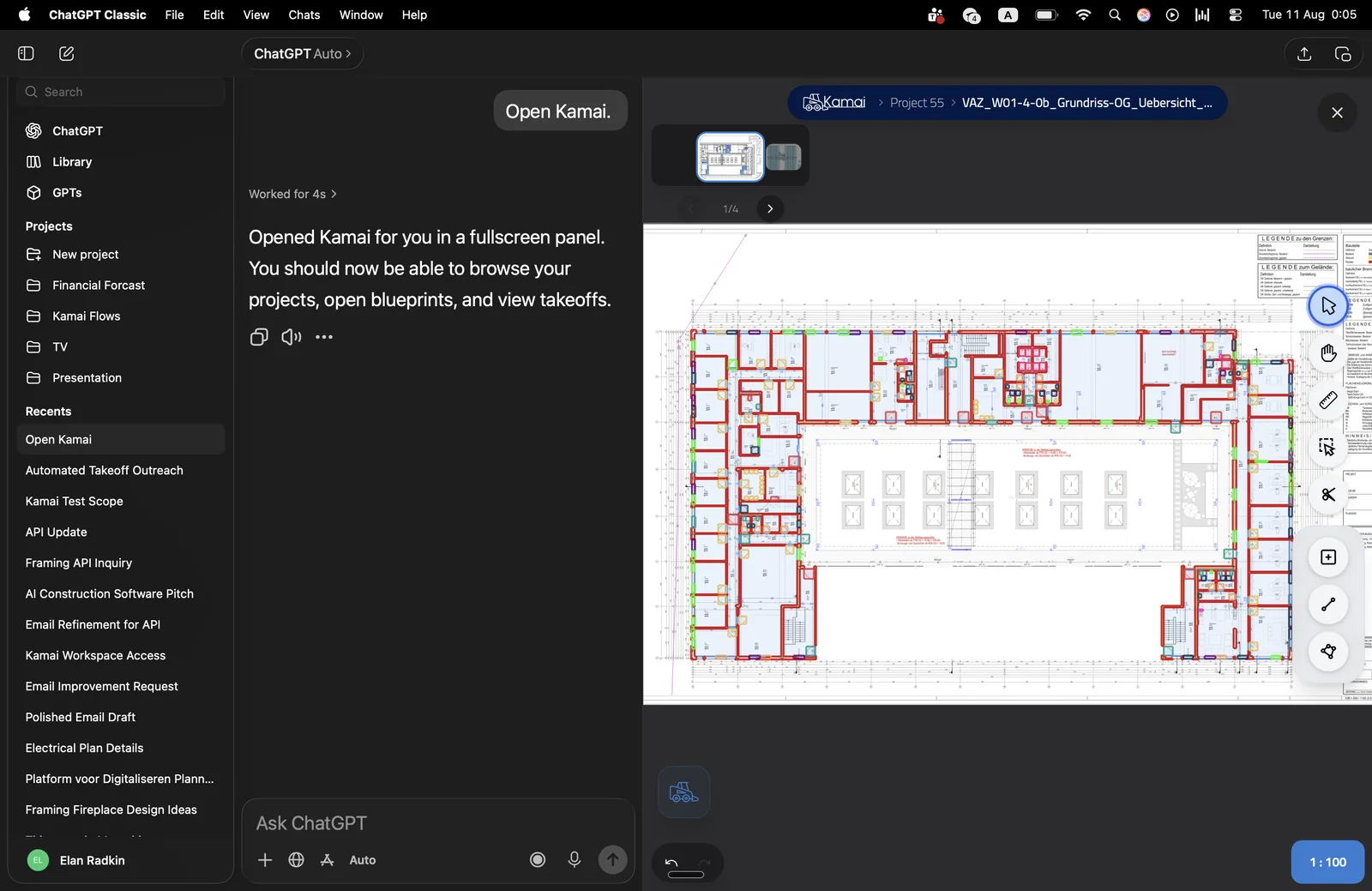
Structured output is what makes the rest of this useful. Kamai exports to Excel and PDF, returns quantities as structured JSON, and connects through the API and MCP, so the data lands in your estimating software, procurement system, or cost database instead of getting copied between windows.
That is the point of getting clean data off the drawing: the takeoff stops being a dead end and becomes the first step of a workflow that runs from blueprint to priced bid without re-keying numbers along the way.
The honest version of the pitch
Automated takeoff is not here to replace estimators. The judgment - what is in scope, what the addendum actually changed, what this market will bear - is still the estimator's. What automation removes is the hours spent on a ruler and the quiet errors that come with them.
Kamai turns a drawing set into structured quantities you can bid from: extraction across the set, an AI assistant to query it, and exports into the tools you already use. The measuring stops being the job. Pricing the work does.
Get the next post in your inbox.
Low frequency. High signal.