How Long Does a Construction Takeoff Take?
How long a construction takeoff takes by project size, what slows it down, and how Kamai cuts the measuring time on PDF plans.

Ask three estimators how long a takeoff takes and you'll get three different answers, because the honest one is "it depends." A single-room renovation is a few minutes of measuring. A four-story commercial job with separate architectural, structural, and MEP packages is a multi-day grind, and that's before the first addendum lands. The variables that actually move the number are project size, sheet count, drawing quality, and how many trades you're carrying.
This post walks through what those ranges really look like, where the hours go, and which parts Kamai can take off your plate.
How long a manual takeoff takes
The old workflow hasn't changed much: printed plans, a scale ruler, a calculator, a stack of highlighters, and a spreadsheet you re-key everything into at the end. You measure wall runs, floor areas, fixture counts, and material quantities by hand, color by color.
Rough ranges by job size:
- A small residential renovation with a handful of sheets: a few hours.
- A medium commercial fit-out: a full day, sometimes longer.
- A large multi-trade project: several days of measuring, organizing, verifying, and reworking quantities when the drawings change.
What pushes those numbers up isn't the measuring itself. It's everything around it. Revisions mean rechecking measurements you already took. A poorly scanned PDF with no scale set forces you to calibrate off a known dimension before you can trust a single line. Overlapping systems on a busy MEP sheet make it easy to double-count or skip a run entirely. And every quantity you measure has to be re-entered somewhere downstream, which is its own source of errors.
The factors that drive duration, in roughly the order they bite:
- Number of sheets and drawing packages
- Plan clarity and whether scales are set correctly
- Trades in scope (one flooring contractor versus a full architectural, structural, and MEP review)
- Room and zone count, and how much there is to count
- Frequency of revisions and addenda
- Estimator experience
That last one is real. An estimator who has organized a hundred takeoffs spots a missing detail callout or a mislabeled scale faster than someone two years in. Experience doesn't change the math, it changes how quickly you catch the things that would otherwise cost you a day.
Where digital takeoffs save time
On-screen takeoff software cut out the printing and the scale ruler. You upload a PDF, set the scale once, and measure directly on the drawing. Areas calculate as you draw them, counts tally automatically, and your quantities stay organized by trade or room instead of scattered across a spreadsheet you have to reconcile by hand.
The bigger win is on revisions. When a plan set updates, your quantities are still tied to the project files, so you're checking what changed rather than starting the page over. That alone can turn a half-day of rework into an hour.
What Kamai does with the drawings
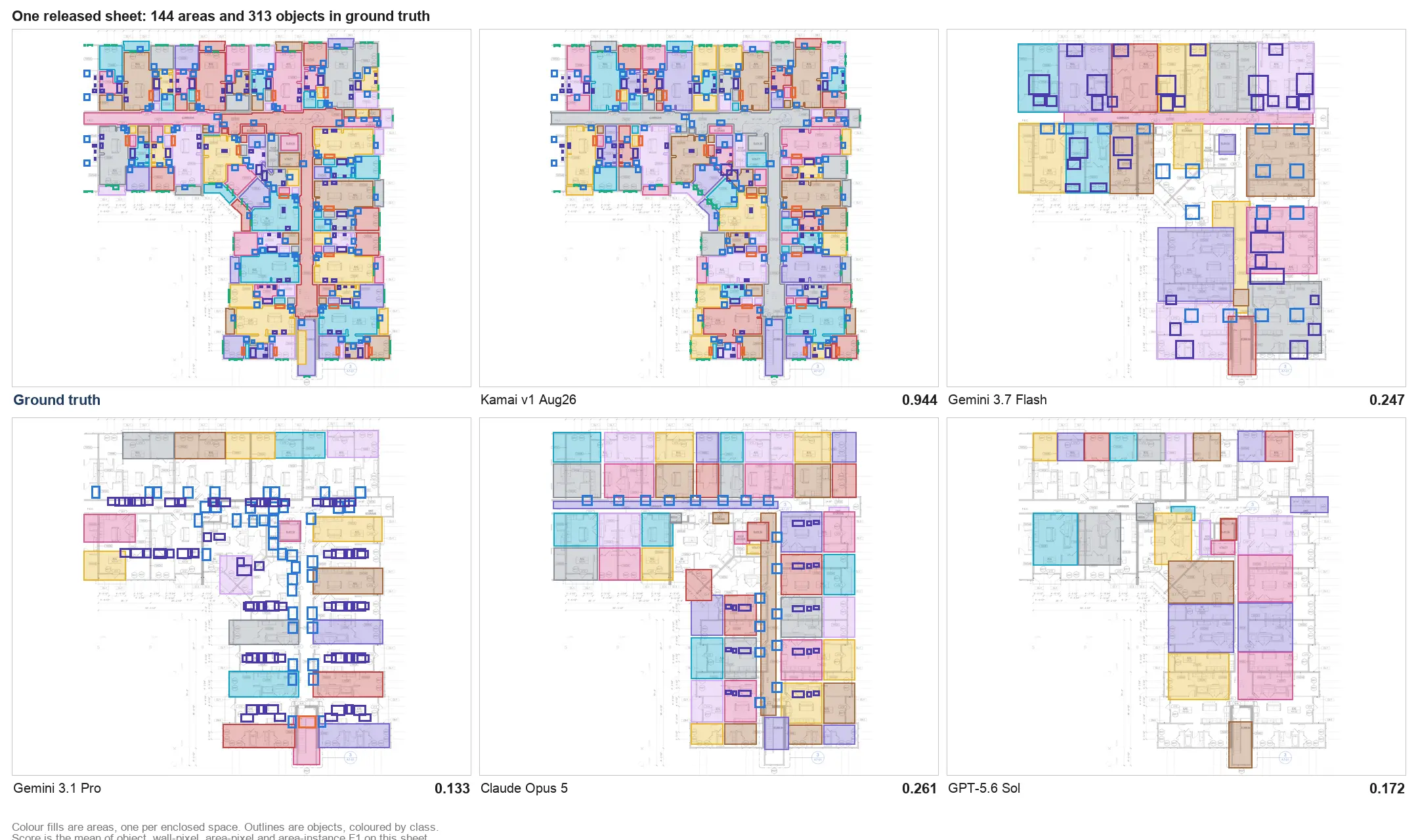
Kamai goes a step past on-screen measuring. You upload the PDF plans and Kamai's models read the sheets and extract quantities, so you're not tracing every room boundary or clicking every fixture by hand.
From a drawing set, Kamai pulls:
- Areas and volumes
- Wall dimensions
- Room layouts
- Material quantities and object counts
- Construction elements across the sheet
You still review the output. The point isn't to remove the estimator, it's to hand you a populated starting point instead of a blank drawing. On a residential set, that's the difference between a morning of measuring and a quick pass to confirm what the models found. On commercial work, the same automation keeps quantities consistent across a large sheet count, which is where manual takeoffs tend to drift.
The AI assistant that pulls quantities
Defining measurement zones by hand is one of the slower parts of any digital takeoff. Kamai's AI assistant identifies room-like areas straight from the floor plan and uses object recognition to find and count materials off the drawings. You validate the results, but you're correcting a draft rather than building one from scratch, and the repetitive counting that eats an afternoon gets handled up front.
What still controls your timeline
Even with the measuring automated, a few things set the pace.
Clean digital plans with correct scales process faster every time, for the models and for your review. Blurry scans and incomplete sets slow both. Complexity matters in the obvious way: a single-floor plan is quick, a multi-story building with dense MEP and several drawing packages is not. Scope matters too. A flooring contractor measuring floor areas is done long before a full-service estimator carrying architectural, structural, and MEP at once.
Revisions are the wildcard. Addenda and reissued sheets stretch any estimate, and they punish manual workflows hardest because each change means re-measuring. When quantities stay linked to the project files, you absorb a revision instead of redoing the takeoff.
Practical ways to move faster
Software is half of it. The other half is how you set the job up.
- Start from clean digital plans, not phone photos of a printout
- Confirm the scale before you measure anything
- Organize quantities by trade so nothing falls between scopes
- Use consistent naming so you and the next person can read the takeoff
- Keep quantities connected to the project files for when revisions hit
- Review the takeoff before it goes to pricing
The aim isn't speed for its own sake. It's getting accurate, reviewable quantities out the door fast enough to turn around more bids, without the kind of error that surfaces as a material shortage on site.
Speed lets you bid more, accuracy lets you keep the margin
Manual estimating caps how many bids you can prepare in a week, and a slow turnaround means proposals go out late. Trimming the takeoff time lets you respond to more invitations, carry more volume, and keep your numbers consistent across them. That's a real edge when a GC is collecting bids on a short fuse.
But a fast takeoff full of quantity errors is worse than a slow one. Missed scope, a double-counted shared wall, a wrong-scale measurement, any of these can wipe out the margin during construction. That's why Kamai pairs automated extraction with QA-reviewed workflows and structured data output, so what you export to Excel or PDF is something you'd stake a bid on.
For most construction teams the question isn't whether takeoffs go digital, it's how much of the measuring you keep doing by hand. As deadlines tighten and sheet counts grow, the time you get back from automating extraction is time you spend on the parts of the bid that actually need an estimator's judgment.
Get the next post in your inbox.
Low frequency. High signal.