How AI Helps to Read Blueprints
How Kamai's AI reads blueprints, extracts measurable quantities, and turns a multi-day takeoff into structured data you can estimate from.

A commercial bid package can run several hundred sheets: architectural plans, structural framing, MEP layouts, civil, and the spec book behind them. Before an estimator can price any of it, someone has to read every relevant sheet, set the scale, and count and measure by hand. That work is where takeoffs get slow, and where they go wrong.
This is the part of estimating that AI is genuinely good at. Kamai reads the drawings, finds the geometry, and hands back quantities you can check against the sheets, instead of leaving you to trace every wall and door yourself.
Why reading blueprints is hard work
The difficulty is not any one sheet. It is the volume and the cross-referencing. A wall shown in plan also appears in a section, a schedule, and sometimes a detail callout, and you have to reconcile all four. Symbols and abbreviations vary by firm. Scales change between sheets, and a drawing that prints at the wrong scale will quietly throw off every measurement taken from it.
The expensive mistakes are the ordinary ones: a scale set wrong on a single sheet, an addendum that revised a wall type after you already counted it, a shared demising wall double-counted because two trades both claimed it. None of these are exotic. They happen on deadline, late at night, on the twelfth revision of a drawing set, which is exactly when a manual takeoff is most likely to slip.
What "reading" a blueprint actually means here
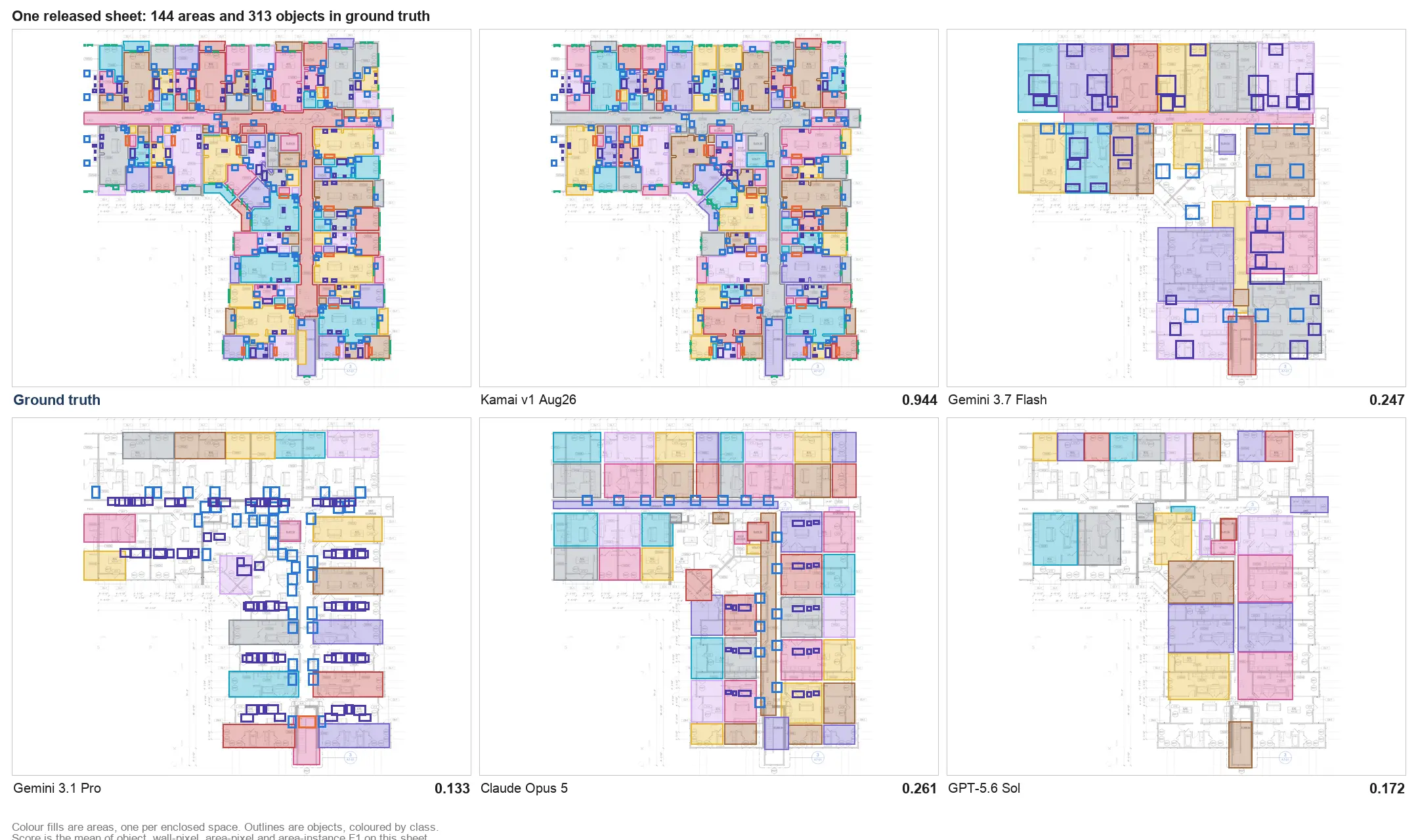
When we say Kamai reads a drawing, we mean its models look at the same linework you do and identify what is on the sheet: walls, doors, windows, slabs, fixtures, and the runs and counts that belong to each trade. Computer vision locates the geometry, and Kamai's models classify it and measure it against the sheet's own scale.
The output is not a marked-up image. It is structured data: wall lengths, areas, volumes, and counts tied to the elements they came from. That is the difference that matters. A PDF holds the information, but it is locked inside pixels and symbols you cannot calculate against. Kamai pulls that information out and organizes it so the numbers are ready to estimate from.
From a stack of sheets to a takeoff
Upload the set and Kamai works through it rather than waiting for you to measure each item. Walls get detected and totaled, areas get calculated, repeated fixtures get counted across sheets without you clicking each one. What took an afternoon of scaling and tracing comes back in minutes, with quantities you can open and verify.
Because the result is structured, it moves. Export to Excel to drop quantities into your cost workbook, or to PDF for the bid file. The numbers carry their structure with them, so you are pricing from a dataset, not retyping figures off a screen.
Multi-trade sets, kept straight
Real projects are not one discipline. They are architectural, structural, mechanical, electrical, and plumbing sheets stacked together, each with its own conventions and its own scope. Kamai reads across them and keeps the quantities sorted by trade, so the electrical counts and the framing lengths and the slab areas land in their own buckets instead of one undifferentiated pile.
On a large commercial or infrastructure set, that organization is most of the value. You are not just getting numbers faster. You are getting them in a shape that maps to how you bid the work.
Revisions and the moving target
Drawings change. An addendum lands the week before bid and a handful of sheets get reissued. Reprocess the affected drawings and the quantities update, so you are estimating against the current set rather than a version that was already superseded. The faster the reprocessing, the smaller the window where you are pricing stale geometry.
A reviewer, not a black box
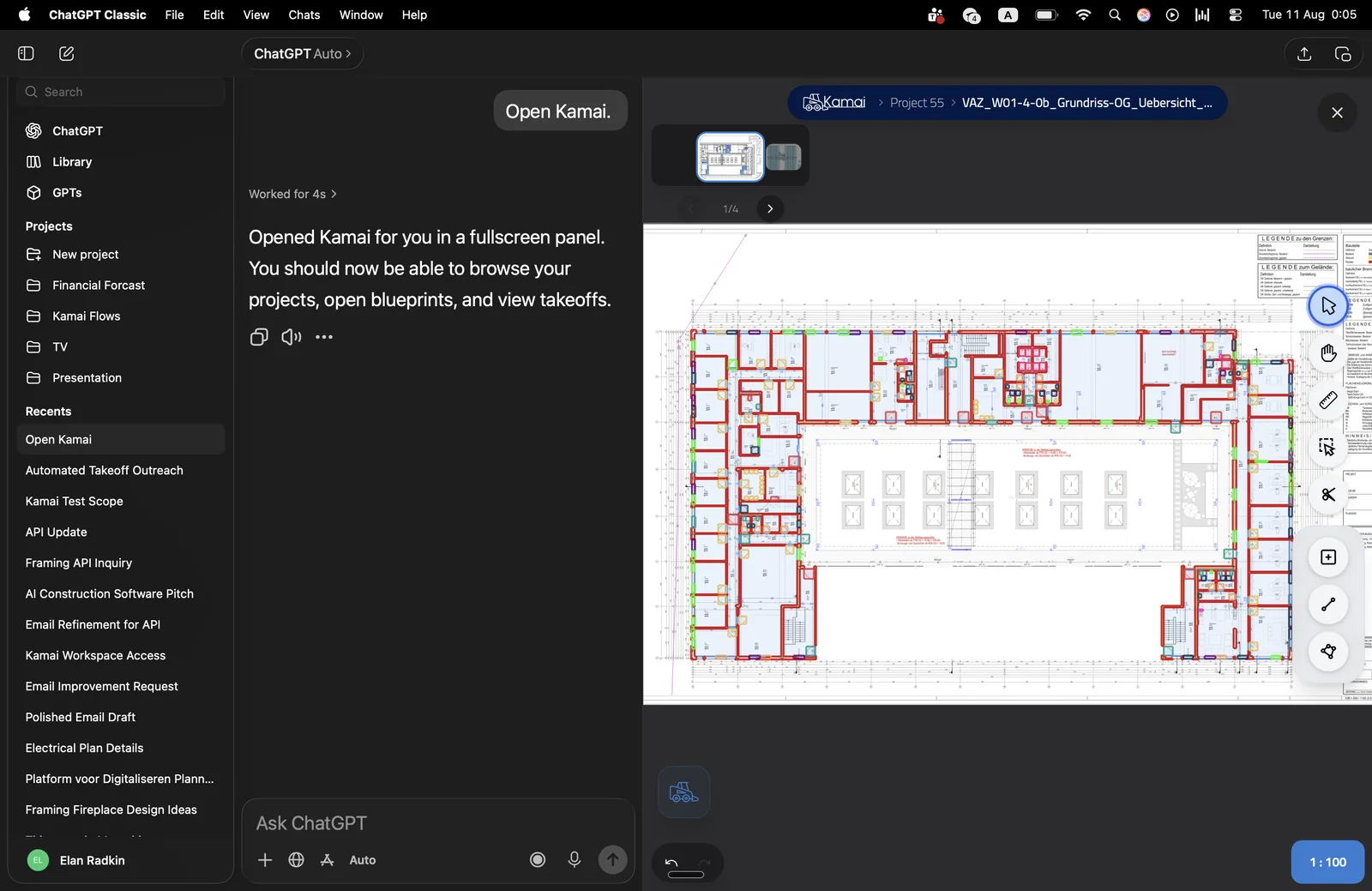
Kamai includes an AI assistant in the app that works as a co-pilot through the takeoff. You can ask it to confirm what it measured, point you at the sheet a quantity came from, or surface an element that looks off, so verification stays a deliberate step instead of blind trust. The estimator still owns the number. The assistant makes it faster to stand behind it.
That changes where your hours go. Less time spent re-measuring the same fixture on six sheets, more time on cost analysis, supplier pricing, and how you want to position the bid.
Where this is headed
The near-term gains are unglamorous and real: cleaner extraction, more trades covered, tighter reconciliation between what is on the sheet and what lands in your estimate. Beyond the app, the same structured output is available through the Kamai API and over MCP, so the quantities can feed whatever estimating or planning workflow you already run.
Reading blueprints will always be a judgment task. What AI removes is the manual measuring underneath it, so the judgment is the part you spend your time on.
Get the next post in your inbox.
Low frequency. High signal.