Extracting structured data from PDF plans
How Kamai reads PDF plans and pulls quantities off them - flooring areas, wall lengths, MEP counts - as structured data you can export and query.

A set of construction drawings holds everything you need to price a job: room dimensions, wall types, fixture schedules, pipe runs. The problem is that none of it is data. It's lines, symbols, and annotations on a PDF, and the only way to get a number out is to scale it, count it, and type it into a spreadsheet by hand.
That manual interpretation is where most takeoff time goes, and where most takeoff errors come from. Kamai reads the drawings the way an estimator does and gives you back structured quantities you can export and query.
Why PDFs are still the document that matters
The industry has spent a decade talking about BIM and fully connected, model-driven projects. On most jobs that's not the reality you bid against. Estimators, GCs, and planners still work from PDFs and 2D drawings, and there are good reasons for it.
You often need an independent quantity to check against the design model, not a number handed down from it - that's how you reduce liability when the model and the field disagree. During tender, detailed models frequently don't exist yet, and you're pricing early-stage sheets on a deadline. And renovation and tenant-improvement work runs on PDFs by default, because there's no model of a building that went up in 1985.
So the data gap is permanent. The information is sitting in the drawing set; it just isn't in a form you can sort, total, or export. Closing that gap is the whole job.
How Kamai reads a drawing set
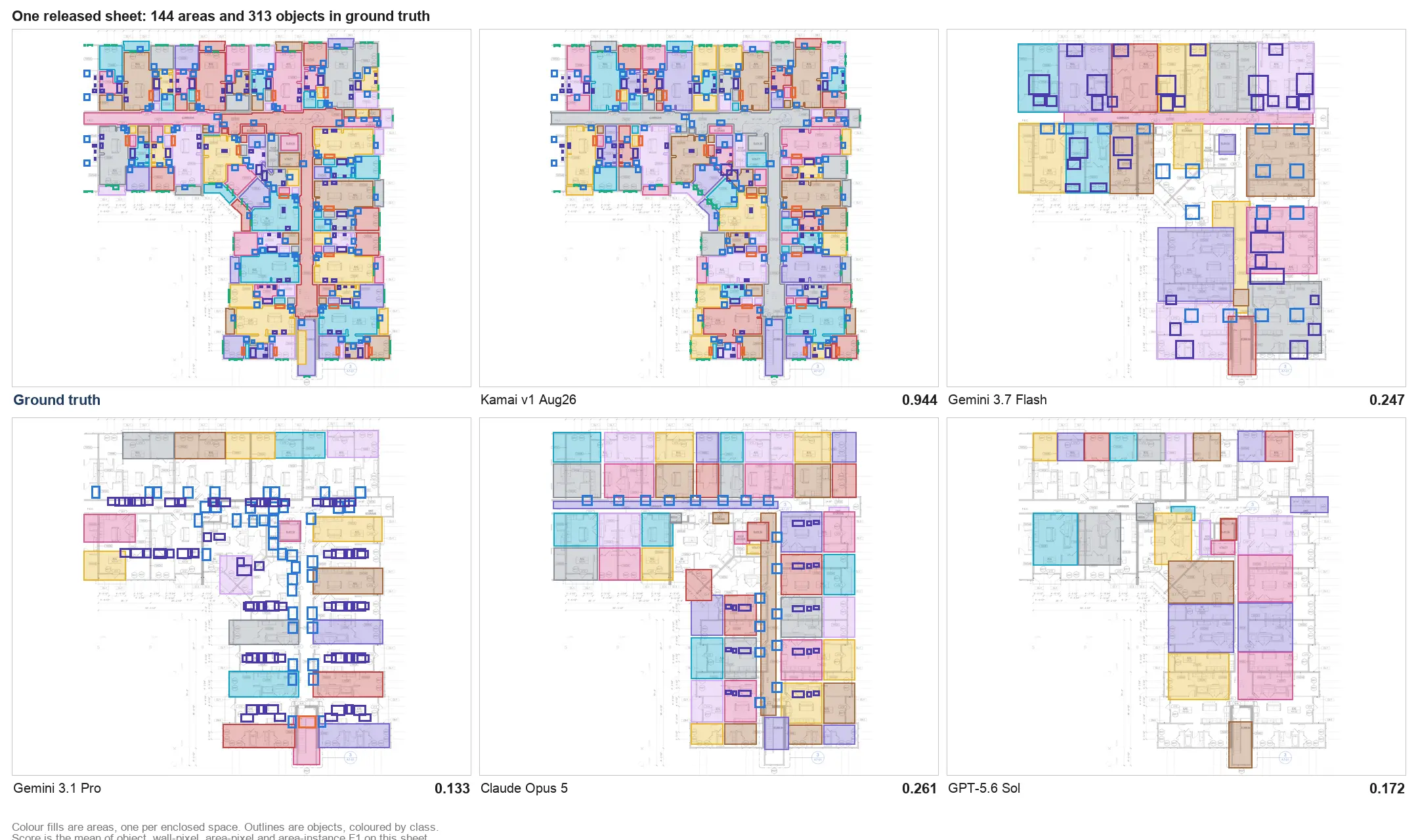
Kamai uses computer vision and Kamai's in-house models to interpret the drawings, not basic text recognition. The difference matters. OCR can pull a string off a sheet; it can't tell a wall from a door swing, or group fixtures by room.
Kamai's models read the structure of the drawing. They separate architectural linework from MEP, recognize spatial relationships like rooms and zones, and connect a callout to the element it refers to. That's what turns a flat image into something you can extract quantities from.
Quantities, pulled automatically
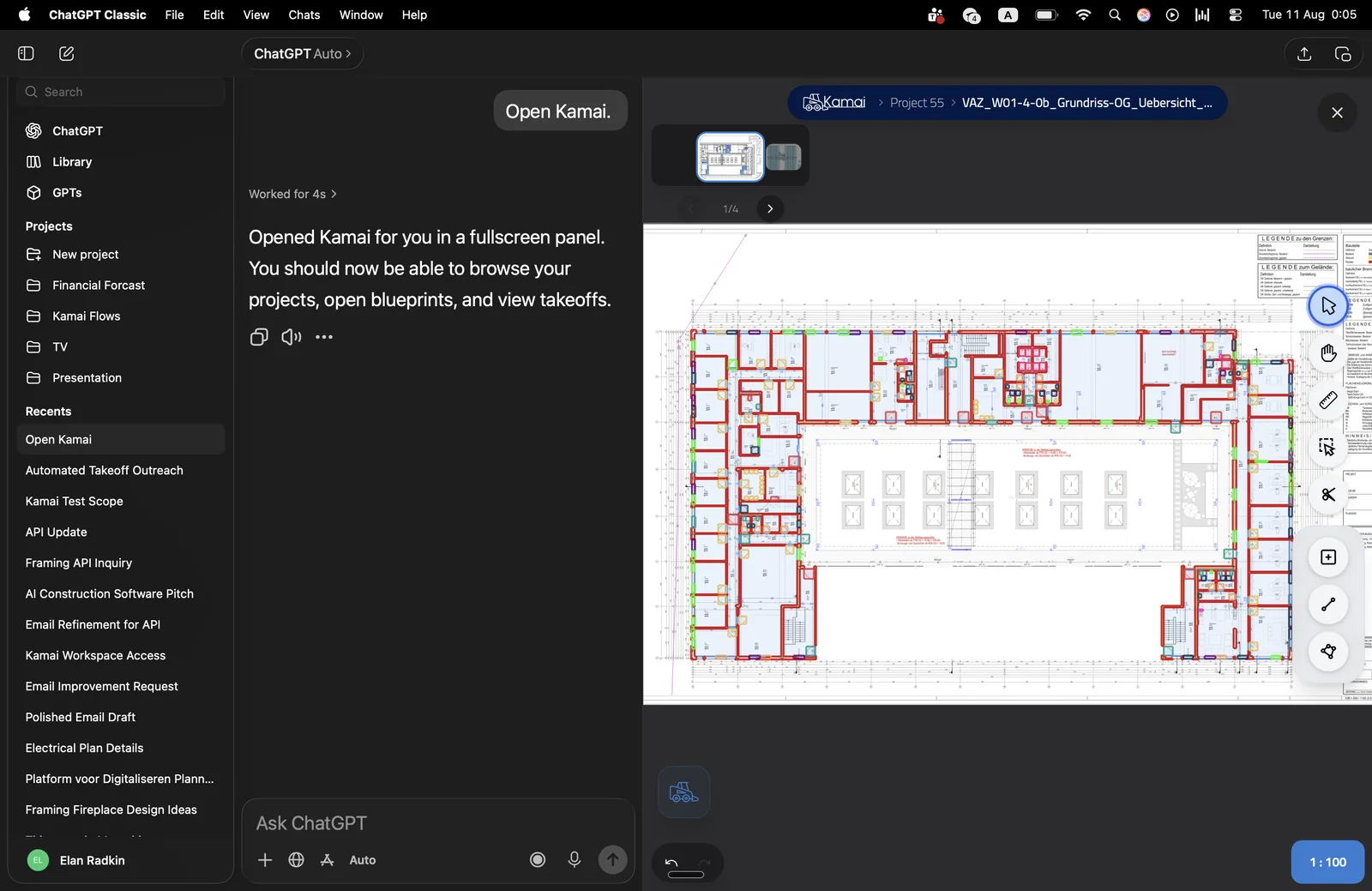
You upload the full plan set. Kamai analyzes the sheets and identifies the elements across the document, then takes off the quantities:
- Flooring areas, wall surfaces, and perimeter lengths for the architectural scope
- Fixture counts and linear measurements for piping and ductwork on the MEP side
No scaling each detail by hand, no running totals in a side spreadsheet. The measurements come off the drawings directly.
The whole set, not one sheet at a time
A real project is dozens of sheets that reference each other. Kamai processes the complete set and reads across it, so a quantity on the plan view lines up with the schedule and the section that describe it. You're not stitching together numbers from individual sheets and hoping the floor plan and the finish schedule agree - the system holds the relationships for you.
From drawings to data you can use
Extracted quantities come back organized, not as a pile of loose measurements. You get categorized datasets - grouped by zone, material, or area - and structured JSON output when you want to move the data into another system. From there it exports to Excel and PDF for the people who need a takeoff sheet rather than a database.
The part that changes the day-to-day is that the takeoff becomes queryable. Instead of paging through sheets, you ask the AI assistant a question and get the number back: the area of a specific room, total wall length on a level, fixture counts summed across floors. The kind of question that used to mean re-opening the drawings and re-counting now takes a sentence.
Where this actually cuts errors
Most takeoff mistakes are mechanical: a detail measured at the wrong scale, an addendum that changed a wall type and never made it into the count, shared walls double-counted between two areas. Those errors are quiet - they don't show up until the bid is already out or the job is already underway.
Pulling the quantities off the drawing consistently, every sheet the same way, removes the manual steps where those mistakes hide. You still review the output, but you're reviewing a complete, consistent takeoff instead of rebuilding it by hand and hoping you didn't miss a sheet.
Structured, accessible quantities also shorten the gap between a question and an answer during a bid. When a number is one query away, an estimator can re-price a scope change, a PM can check what a substitution does to the count, and nobody waits on a manual recount to make the call.
Working the way you already work
Kamai doesn't ask you to abandon PDFs for some new format. You keep bidding, validating, and reviewing on the drawings you already get from the architect, and the structured data comes out the other side. That's the practical version of going digital: the same sheets, with the quantities already extracted, ready to export or query. For most estimating teams, that's the difference that gets a bid out on time.
Get the next post in your inbox.
Low frequency. High signal.