Extract Quantities From Floor Plans Faster With Kamai's AI-Powered Takeoff API
Turn floor plans into structured takeoff data with Kamai's AI Takeoff API: wall lengths, room areas, and counts straight into your estimating tools.

A set of floor plans carries almost everything an estimate needs: wall runs, room areas, door and window openings, fixture counts. The catch is that none of it arrives as data. It arrives as a PDF that someone has to sit down and read.
So that is what most teams do. An estimator opens the architectural sheets, sets the scale off the title block, traces walls, counts symbols, and types the numbers into a spreadsheet or estimating package. On a single-story plan that is tedious. On a multi-revision job with separate architectural, structural, and MEP sets, it is hours of work that has to be redone every time an addendum lands.
Kamai's Takeoff API does that reading for you. You send it the drawing, and Kamai's models return the quantities as structured data your other systems can use directly.
Why the takeoff is the slow part
The information density of a floor plan is the problem, not a shortage of information. A single sheet defines spaces, dimensions, materials, and how elements relate to each other, and it does all of that visually. There is no field that says "this wall is 24 feet." You have to infer it from a line and a scale.
Manual takeoff is where that inference happens, and it leans entirely on the person doing it. Set the scale wrong and every measurement on the sheet is off by the same factor. Miss a revision cloud and you price the old layout. Count a wall shared between two units twice and the framing quantity is inflated before the estimate is even assembled. None of these are exotic mistakes. They are the ordinary failure modes of doing the work by hand under a bid deadline.
The pressure only grows with the job. More sheets, more revisions, and a tighter clock all push the same manual process to move faster, and accuracy is usually what gives.
Treating the plan as data, not an image
Kamai does not look at a floor plan as a picture to be scanned. It reads it as a representation of physical elements that have measurable properties.
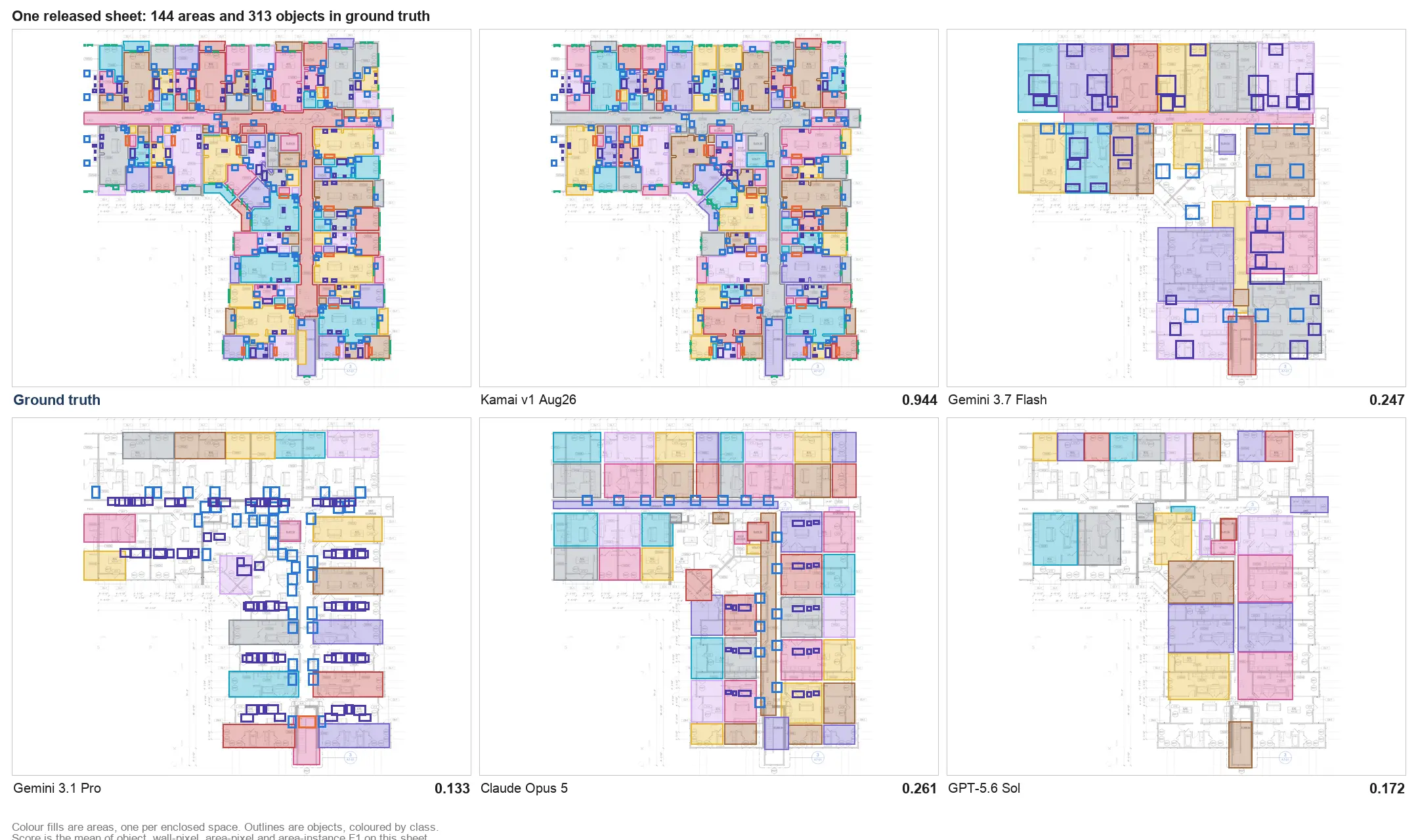
Walls become lengths. Rooms become areas. Repeated components become counts. Once a plan is processed, those quantities exist as structured, machine-readable JSON rather than as marks an estimator has to keep retyping. That output is the same whether the sheet is a clean single-family plan or a dense floor plate, and it is reusable: the same extracted data feeds estimating, planning, reporting, and comparison across revisions without a second pass over the drawing.
How the API handles a drawing
Kamai's models are trained on construction drawings, so they read a sheet the way the people who drew it expect it to be read. They follow how plans are organized, how lines and symbols stand in for real elements, and how the stated scale applies across the sheet.
When you submit a plan, the API works through it in context, identifies the relevant elements, calculates dimensions, and returns the quantities. Because the API is built to be called from your own systems, you can wire it into the points where drawings already move: process a plan the moment it is uploaded, re-run it when a revised set comes back, and push the results downstream with no one stopping to trace lines.
Faster estimating, without trading away accuracy
The speed gain is real: a takeoff that used to take hours or days comes back in minutes. But the more useful part for an estimator is consistency. Kamai applies the same logic to every sheet, so the variability that creeps in when one person is tired or rushed or reading a messy plan late in the day is gone.
That is time you get back to do the work software cannot do for you - checking assumptions, pressure-testing unit costs, and deciding what the number should actually be before it goes out the door.
Accuracy that repeats
On a small project a measurement error is an annoyance. On a large one it compounds, because the same mistaken scale or missed area rides through every quantity tied to it.
Kamai's models are trained on real plans and the conventions of architectural and engineering drawings, so the results hold up across sheets and across projects. For a team running many takeoffs - a construction firm, a government agency, an insurer - the value is standardization. The output does not depend on which estimator happened to pull the job, and because it comes from a defined process rather than individual interpretation, it is something you can audit.
What the quantities unlock
Pulling the numbers is the start, not the finish. Once quantities are structured, you can do things that are painful with figures buried in a spreadsheet: diff two revisions to see exactly what changed, catch scope creep as soon as a new set arrives, and benchmark costs across past projects.
That data serves different ends depending on who holds it. Construction teams get more predictable preconstruction and tighter bids. Government organizations get consistent analysis to support budgeting and procurement. Insurers get a faster, more uniform basis for assessing cost. Same extracted quantities, put to work in different places.
Fits the tools you already use
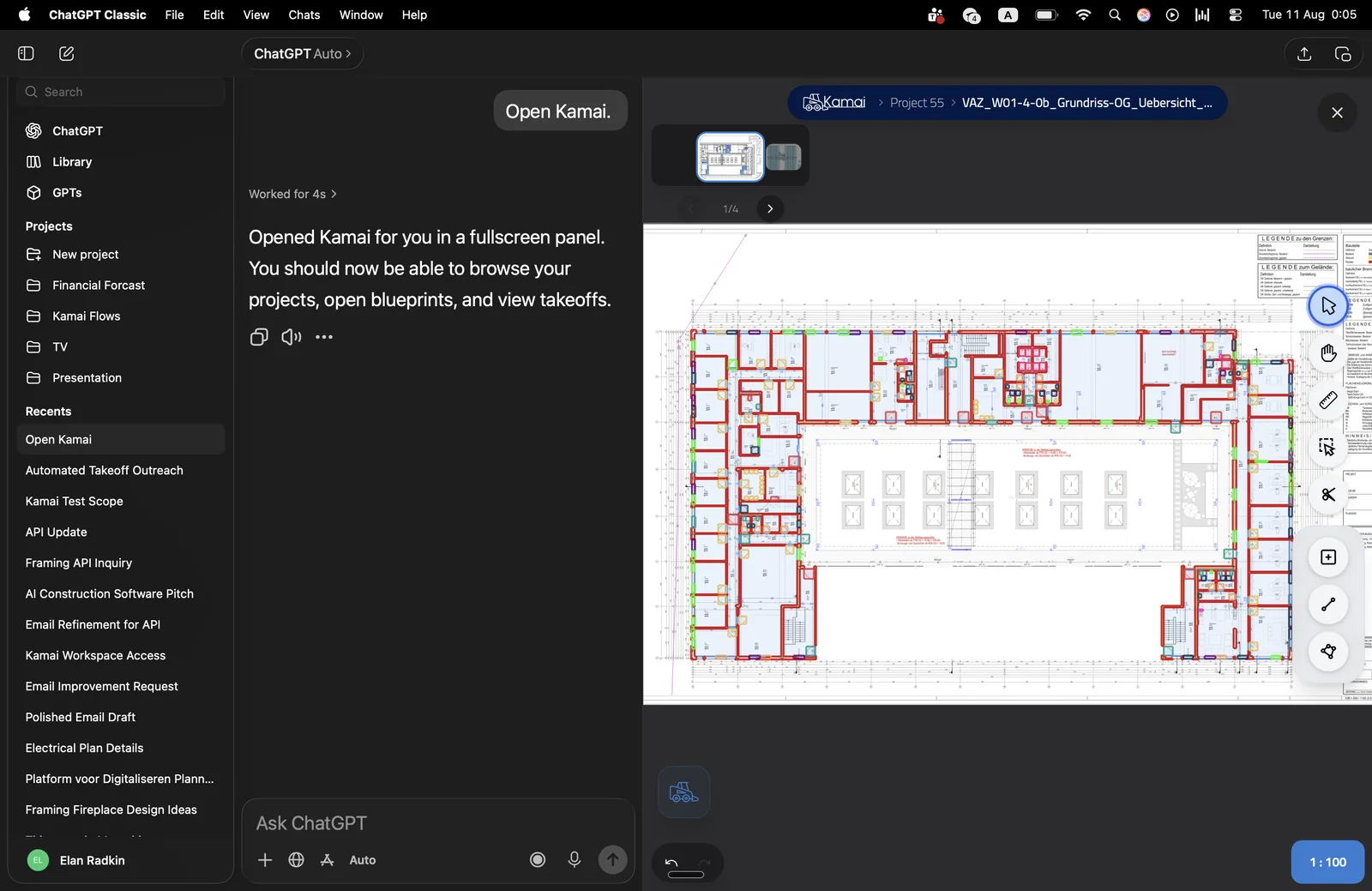
You do not have to move your work into Kamai to use it. The Takeoff API connects to the systems you already run, so extracted quantities land where you need them - in your estimating software, in a database, or surfaced inside your own platform through an embedded widget. The point is to remove a step, not to add another tool you have to live in.
Built for construction, government, and insurance
Any team that works from floor plans can use the same extraction, and the payoff lands differently by industry:
- Construction - faster preconstruction, more accurate bids, and tighter cost control across the job.
- Government - consistent reading of infrastructure plans to support budgeting, compliance, and long-range planning.
- Insurance - quicker, more uniform damage and cost assessment pulled straight from plans and drawings.
Ask the data questions
The app pairs the takeoff with a built-in AI assistant - a Co-Pilot you can talk to. Instead of hunting through a plan or scrolling a spreadsheet to confirm a number, you ask. You can interrogate the extracted quantities, check a figure, and see how it was derived without redoing the work by hand. For most estimators that is where trust in the data gets built: not in being told it is accurate, but in being able to check it quickly.
Less guesswork in the decision
Every call made off a floor plan inherits the quality of the takeoff under it. Manual extraction adds variability and delay to that foundation; both turn into risk by the time a bid or an assessment goes out.
Kamai narrows the gap by making the extraction fast, repeatable, and consistent, so decisions rest on quantities you can stand behind rather than ones you hope are close. That matters most where the stakes are highest - public infrastructure, insurance claims, anything where a wrong number carries real cost.
Where this is going
Estimating is moving toward workflows where drawings connect straight to data, and manual takeoff is the step that breaks that chain. Kamai's Takeoff API closes it: send a plan, get back structured quantities, and feed them into estimating, planning, and analysis without a person retyping a single figure. The slowest part of the process stops being the part that holds everything else up.
Get the next post in your inbox.
Low frequency. High signal.