Construction Estimating Software with Integrated Takeoff
How integrated takeoff and estimating cuts re-keying, manages addenda, and turns PDF plans into structured quantities you can price.

Most estimating shops still run two programs side by side: one to measure the drawings, another to price the quantities. You scale a sheet, trace your conditions, read off the linear feet and square footage, then type those numbers into a spreadsheet or an estimating package. Every hand-off is a place to fat-finger a quantity, drop an item, or forget to update the estimate when a new sheet set lands. Integrated takeoff and estimating closes that gap by keeping the measurement and the price in the same place.
Kamai does the takeoff and the estimate in one system. You upload the plan set, measure on-screen, and the quantities are already attached to cost data when you finish. No second tool, no re-keying, no reconciliation pass to make sure the spreadsheet matches what you actually measured.
One pass from drawing to priced quantity
The friction in the old workflow is the export step. You measure walls in a takeoff tool, generate a quantity report, and then move those numbers into the estimate by hand. Even a clean hand-off costs time, and a messy one (renamed conditions, a quantity that got rounded twice) costs you a wrong bid.
When measurement and pricing live in the same workflow, that step disappears. As you trace a condition, the quantity updates and stays linked to its unit cost. Change the trace, the quantity changes, the line item changes. You are working one number instead of copying it between two systems and hoping they agree.
Calculations that update as you measure
A manual takeoff buries a lot of arithmetic: multiply length by height, add a waste factor, split labor from material, roll it up by area or floor. Get one formula wrong in a spreadsheet and it can sit there for the whole bid.
Kamai runs those calculations as you draw. Finish a measurement and the material, labor, and cost figures move with it, so you see the budget impact of a condition the moment it's on the sheet. That makes the small estimating moves cheap to do:
- Adjust a quantity without re-running every dependent formula by hand
- Price a couple of scenarios before you commit to an approach
- See what a design change does to the number before you decide how to bid it
Working in the PDF set you already have
Drawings show up as PDFs. The architectural, structural, and MEP sheets all arrive in the same format, and an estimator needs to measure them without printing or bouncing the file through a separate viewer.
Kamai works on the PDF directly. Upload the set, calibrate the scale, and measure point-to-point on screen. Getting the scale right matters more than anything else here - a sheet calibrated to the wrong scale throws off every quantity you pull from it, and that's one of the most common ways a takeoff goes sideways. Once your conditions are measured, the pricing attaches to them in the same document, so you go from a traced wall to a priced line without leaving the plan.
Revisions work the same way. When a new sheet set comes in, you load it and recalculate the affected quantities instead of rebuilding the estimate from scratch.
Reusing what you already know works
Most contractors bid the same kinds of jobs over and over, and the labor rates, waste factors, and assembly formulas don't change much from one to the next. Rebuilding them per project is wasted effort and a source of drift, where two estimators on the same crew end up pricing the same assembly differently.
Saved conditions let you store the templates, assemblies, and formulas you trust and apply them on the next job. A standard wall assembly, your normal waste factor on a finish, a labor rate you've validated - set it once, reuse it, and your bids stay consistent across estimators and projects.
Turning a plan set into structured quantities
A blueprint is dense, but it isn't organized for analysis. Walls, finishes, fixtures, and dimensions are drawn for a builder to read, not tallied in a form you can price. Pulling them out by hand is the slow, error-prone part of the job, and it's where shared walls get double-counted and small items get missed.
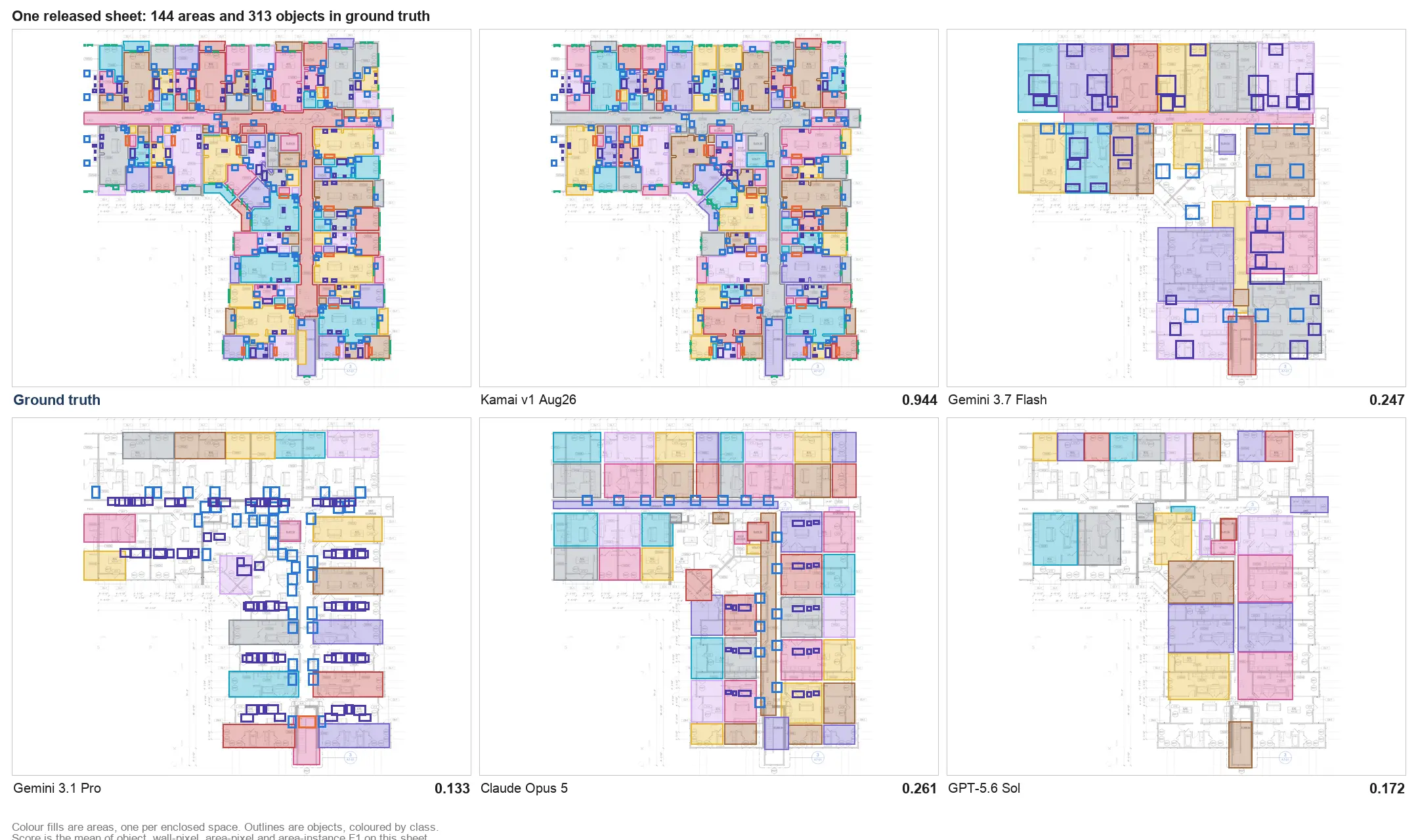
Kamai's models read the drawing and extract those elements as quantities, organized and linked to cost components in the estimate. Computer vision does the reading; you get measurable, structured output instead of a wall of linework to interpret. Because the result is structured, you can export it - to Excel or PDF for a bid package, or as JSON when another system needs the data - and you can report against it later instead of digging back through the sheets.
Fewer places to make an error
Separating takeoff from estimating means moving quantities between programs by hand, and that's where mis-typed numbers and dropped line items come from. Keep both in one system and there's nothing to transfer: every measurement flows straight into the estimate. The errors that come from re-keying don't happen because there's no re-keying step. That's most of the argument for an integrated tool, and it's the part that protects your margin.
Better bids, fewer assumptions
A bid is only as good as the quantities under it. When the takeoff is guesswork, the price is guesswork, and in a competitive market a few points either way decides whether you win the job or win it and lose money. Grounding the estimate in measured quantities, with the costs updating as you go, lets you bid tight without bidding blind.
One dataset for preconstruction
Preconstruction pulls in estimators, project managers, and executives, sometimes the client. When the takeoff and the estimate sit in one system, everyone is looking at the same quantities and the same revision instead of arguing over whose spreadsheet is current. Kamai keeps the conditions, costs, and revisions in one place, which is mostly a way of saying there's a single source of truth before anyone breaks ground.
Handling addenda without starting over
Jobs change during the bid period. Addenda land, the client adjusts scope, a code comment forces a revision. Handled by hand, every change means re-measuring, re-pricing, and hoping you caught everything the new sheets touched.
In an integrated system, you load the revised drawings, recalculate the conditions that moved, and the cost impact follows automatically. The estimate stays current with the plan set instead of lagging a revision behind it, which is what keeps you from bidding to a superseded drawing.
The Co-Pilot assistant
Kamai's app includes a Co-Pilot, an AI assistant built into the workflow rather than a separate product. You can ask it about quantities, conditions, and the estimate in plain language and keep working in the same place, on the same data, without switching context to look something up.
A smarter way to estimate
Integrated takeoff and estimating isn't a luxury feature anymore; for a shop that bids volume, running two disconnected tools is a tax on every estimate. Kamai puts the takeoff and the estimate in one system, with calculations that update as you measure, work that happens on the PDF set you already have, saved conditions you can reuse, and structured output you can export to Excel, PDF, or JSON. The point is narrow and practical: measure once, price what you measured, and keep the estimate honest when the drawings change.
Get the next post in your inbox.
Low frequency. High signal.