Construction Estimating Software for Small Contractors
How small contractors can run faster, more accurate takeoffs with Kamai's AI: upload PDF plans, pull quantities, and export bid-ready data.

On a small crew, the estimator is usually also the owner, the project manager, and the person answering the client's phone calls. There's no quantity surveyor and no dedicated takeoff desk. One person opens the plan set, scales the drawings, counts fixtures, prices it out, and gets the bid back before the deadline. Whatever estimating software you pick has to fit that reality, not a 40-person preconstruction department.
The job to be done is narrow: get a PDF plan set in, get quantities out, and turn those quantities into a quote you can send. Anything that adds steps instead of removing them is working against you.
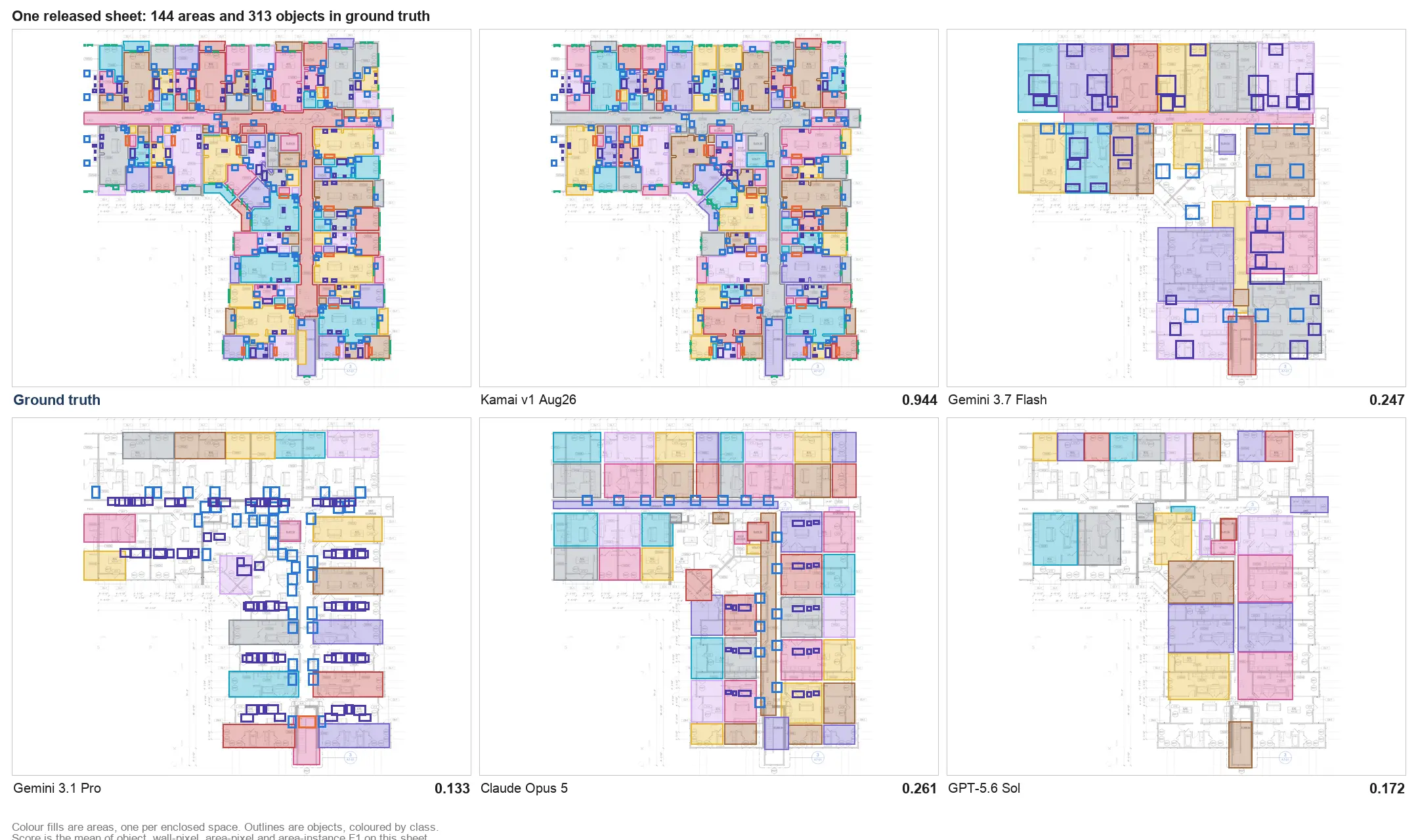
Kamai is an AI takeoff and blueprint analysis platform. You upload PDF plans and Kamai's models read the drawings, pull quantities, and return structured data you can export. The point is to skip the part where you trace every room and re-key numbers into a spreadsheet.
Where small-contractor estimating breaks down
Estimating is the part of the bid where mistakes get expensive. A wall length off by a scale factor, a fixture count that missed the second floor, a quantity double-counted because two units share a wall - any of those flows straight into a budget. On thin margins, one bad takeoff can eat the profit on a job you actually win.
The usual workflow makes those errors easy to introduce:
- Tracing measurements by hand is slow, and slow takeoffs mean fewer bids out the door
- Spreadsheet quantities are hard to audit once they're a wall of cells
- An addendum or revised sheet set means redoing work you already did
- Numbers get re-entered between the takeoff, the estimate, and the proposal
- When two people touch the same job, versions drift
A lot of small shops still work off printed plans and a spreadsheet because enterprise estimating suites feel overbuilt and overpriced. That's a fair read. But the manual workflow has its own cost, and it's measured in the bids you didn't have time to send.
What to actually look for
The best estimating software is not the one with the longest feature list. It's the one your team will use under deadline pressure on a real plan set. A few things matter more than the rest:
Plans in, quantities out, in one place. You should be able to upload a PDF, run the takeoff, organize measurements by project, and move quantities into pricing without bouncing between three apps.
A short learning curve. A small team cannot stop for two weeks of training. If you can't get a usable takeoff on your first real project, the tool is too heavy for the shop.
Access from wherever you're working. Estimating happens at the office, in the truck, and in a client's kitchen. Cloud access means the latest takeoff is the one everyone is looking at, instead of a file sitting on one laptop.
How Kamai handles the takeoff
Kamai exists to turn drawings into estimating data. Instead of tracing each wall and room by hand, you upload the PDF plan set and Kamai's models analyze the sheets and pull measurements directly from them. From floor plans, Kamai can identify:
- Room and floor areas
- Wall lengths and perimeters
- Volumes
- Material quantities
- Object and fixture counts
- Construction elements across the sheet
That covers the repetitive measuring that eats most of a manual takeoff. On a large set or a revised set, where you'd normally re-trace everything, that's where the time comes back. The output isn't a static drawing view - it's structured data you can work with, including JSON for anything you want to pull into your own pricing setup.
Catching the errors a spreadsheet hides
Most takeoff mistakes are not exotic. They're the same handful every time:
- Working at the wrong scale, so every measurement is off by the same factor
- Missing a sheet, or missing an addendum that changed it
- Counting the same quantity twice, often on shared walls between units
- A broken formula buried in the spreadsheet
- Different revisions of the same takeoff floating around
Pulling quantities directly from the plan set takes a few of those off the table. The scale is read from the drawing rather than set by hand, and the same sheet produces the same numbers every time instead of depending on who traced it. For a small contractor that shows up as cleaner material planning, tighter bids, and fewer surprises after the job starts.
One job, one place
Run three or four jobs at once and the documents scatter fast: a plan PDF in email, quantities in a spreadsheet, revision notes in a text thread. Kamai keeps the drawings, the takeoff, and the quantities for a job together, so finding the current version of a measurement doesn't mean digging through folders. When more than one person on the team needs to look at plans or pricing, they're looking at the same thing.
Working with the data you get back
The takeoff is only useful if it leaves Kamai in a form you can bid from. Quantities export to Excel for your pricing sheets and to PDF when you need a clean record to send or attach. The structured JSON output is there for feeding quantities into other tools and integrations rather than re-typing them.
There's also an AI assistant in the app. You can ask the Co-Pilot about a sheet or a takeoff instead of hunting through the plan set yourself - useful when you're checking whether a count looks right or trying to find where a quantity came from. It's a feature of the app, not a separate tool to learn.
Built for a small shop, not scaled down from an enterprise one
Plenty of construction platforms ship modules a small contractor will never open. That complexity isn't free; it shows up in the onboarding, the price, and the daily friction. Kamai is aimed at the parts a small team actually does every day - get the plans in, get the measurements out, get to a number - and the pricing scales with team size and project volume instead of locking you into an enterprise contract.
The bottom line
A small contractor doesn't win more work by buying the biggest estimating system. You win it by getting accurate bids out faster than the shop down the road. Reading quantities off the plan set instead of tracing them by hand is the lever: less time measuring, fewer re-keyed numbers, more bids you actually have time to send. That's what Kamai is built to do.
Get the next post in your inbox.
Low frequency. High signal.