How to Do Electrical Estimating and Takeoff
Electrical drawings are the busiest sheets in the set. Here is how an electrical takeoff works, why manual counting breaks down, and how Kamai reads the symbols for you.

Electrical is where a set gets busy. A single commercial floor can carry hundreds of outlets, switches, lighting fixtures, and junction boxes, all connected to schedules and single-line diagrams sitting on other sheets. Every estimate you build starts with counting them. Miss a handful of devices or measure conduit wrong and the whole bid tilts, usually before anyone notices.
That is why the takeoff comes first. Before you can touch labor rates, material pricing, or a schedule, you need to know exactly what the drawings call for. The tighter the market, the less room there is to be off.
Takeoff and estimating are two different jobs
They get lumped together, but they answer different questions.
A takeoff identifies and measures every component shown on the drawings. You count devices, measure conduit and raceway runs, read panel schedules, and organize it all into a structured bill of quantities. It answers "what materials does this job require?"
An estimate takes those verified quantities and assigns labor, material prices, equipment, overhead, and profit to produce a final number. It answers "how much will it cost?"
The order matters. Even sharp estimating produces an unreliable bid if the quantities underneath it are wrong.
What a complete electrical takeoff covers
You work through the E-series package - floor plans, lighting layouts, power plans, panel schedules, legends, and single-line diagrams - and pull out everything that has to be priced:
- Lighting fixtures, recessed and surface-mounted
- Emergency lighting and exit signs
- Duplex and GFCI outlets
- Single-pole and three-way switches
- Junction boxes and smoke detectors
- Disconnect switches and distribution panels
- Conduit and raceway lengths
- Feeders and circuit information
Then you extract the quantities: counting symbols, measuring runs, reading the panel schedules, and organizing it into a structured material list. Only then do the verified numbers move into estimating, where pricing, labor, and markups get applied.
Why manual electrical takeoffs break down
Electrical drawings are among the most detailed documents in the set, and that is exactly where the counting gets hard. A large commercial project can run hundreds or thousands of symbols across dozens of sheets, and none of it lives in one place.
To count one device correctly you are constantly switching between floor plans, panel schedules, the legend, circuit schedules, single-line diagrams, and the specs. Every switch is a chance to miss a device, duplicate a count, or fat-finger a transcription. The failure modes are familiar:
- Missing a device buried in a dense corner of a plan
- Duplicating a count across sheets that share conditions
- Re-keying quantities into a spreadsheet, one row at a time
- Losing the thread on a multi-floor project where a room repeats per level
Consistency gets harder the bigger the job gets, and the hours it eats are hours nobody is spending on scope or strategy.
How Kamai handles the extraction
Kamai is built for construction drawings, and electrical documentation is a big part of that. You upload the digital set and Kamai works through it, sheet by sheet, layer by layer.
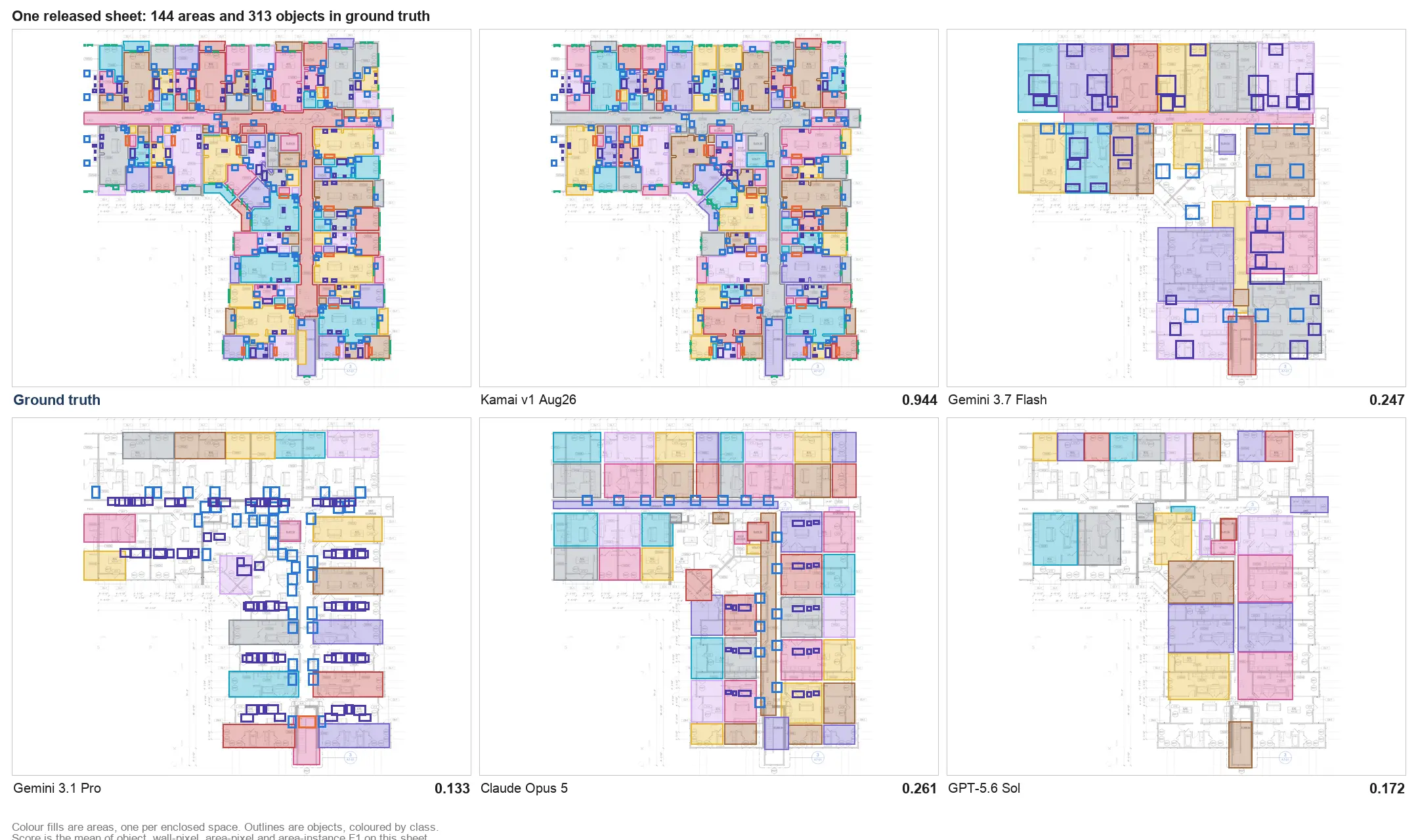
The important part is how it reads. Kamai works from the native vector geometry inside the PDF instead of rasterizing the sheet into an image the way typical computer-vision tools do. It computes measurements from the drawing's own coordinates, not from pixels. That is the difference between guessing a conduit length off a picture and reading it off the geometry.
It starts with the legend. Electrical plans lean on standardized symbols that reference equipment schedules, and matching each one by hand is slow, repetitive work. Kamai reads the project legend, finds those symbols throughout the set, and assigns structured classifications. From there it pulls from the floor plans, panel schedules, single-line diagrams, and conduit layouts to produce a structured electrical bill of materials.
Each device gets tagged with what you need to price and verify it: room location, sheet number, circuit, and panel where the drawings provide them.
Every quantity references where it came from. When a count looks off, you click back to the exact sheet and layer it was read from instead of re-counting from scratch.
From takeoff to estimate without rekeying
Most estimating mistakes happen after the measuring is done, when numbers get retyped into a spreadsheet or moved between tools. Every transfer is another chance to introduce an error.
Kamai skips that step. The extracted quantities come out as structured data that flows into your workflow through exports or the API. Upload the set, Kamai extracts, the quantities export, you apply pricing in the software you already run, and the estimate keeps an audit trail back to the drawing. Everyone who touches the number, from procurement to the estimator, works off the same data with the source location attached to every line.
A few habits that keep the numbers clean
The tooling does the measuring, but the workflow still rewards discipline:
- Confirm you are on the latest drawing revision. A superseded sheet quietly poisons everything downstream.
- Review the legends and schedules so the symbols get interpreted correctly.
- After extraction, spot-check the outliers. Unusual counts are worth a look before anything is final.
- Keep the quantity data connected to the project, so a revision does not mean repeating the whole takeoff.
None of this replaces the estimator's judgment. It removes the counting and transcription so that judgment gets spent where it counts: on scope, on validation, and on a competitive bid.
Why more electrical contractors work this way
Projects keep getting more complex and deadlines keep getting tighter. Reading native vector geometry instead of pixels, recognizing the legend automatically, measuring conduit off the drawing's own coordinates, and handing back a traceable bill of materials is a way to produce accurate takeoffs faster without hiring your way through every deadline.
The drawings are not the problem. Counting them by hand was. Kamai takes the electrical set your team already lives in and gives back structured, traceable quantities, so the estimate goes out faster and holds up when the job is won.
Frequently Asked Questions
What is an electrical takeoff?
It is the process of reviewing construction drawings to identify and measure every electrical material and component a project requires, including outlets, switches, conduit, fixtures, and panels, organized into a structured bill of quantities.
What is the difference between electrical takeoff and electrical estimating?
The takeoff identifies and measures what the drawings require. The estimate assigns labor, material prices, overhead, and profit to those quantities to produce a final cost. Takeoff answers what is needed; estimating answers what it costs.
What does Kamai extract from electrical drawings?
Outlets, switches, lighting fixtures, junction boxes, panels, conduit lengths, panel schedules, and circuit information, each tagged with its room, sheet, panel, and circuit where the drawings provide them.
Can Kamai process large electrical drawing sets?
Yes. It works across full sheet sets while keeping the relationships between rooms, panels, circuits, and source sheets intact, and it produces structured output the whole way through.
Does Kamai replace estimator review?
No. It automates the repetitive extraction and transcription. Experienced estimators still review and validate the results, which is where their time is best spent.
Get the next post in your inbox.
Low frequency. High signal.